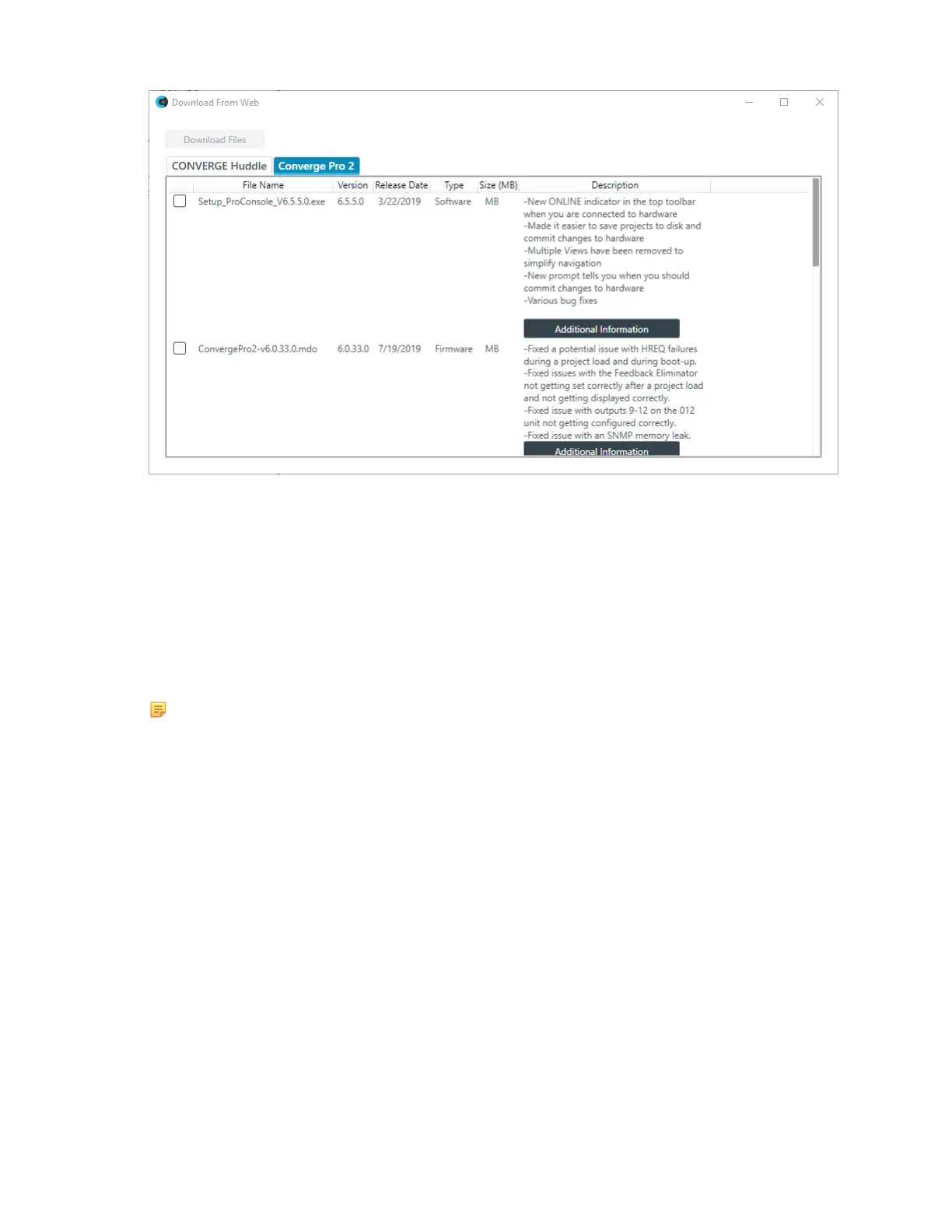
2. Check the boxes next to any items you want to download.
3. (Optional) You can click Additional Information next to a download in some cases to see the Release
Notes for that download. The Release Notes provides detailed information about changes made for
software or firmware release.
4. Click Download Files.
Firmware updates are downloaded to the following location on your computer:
{Documents}\ClearOne\Equipment\{Product}\Firmware (where {Documents} refers to your
Windows Documents directory for the current user, which is a variable location, and {Product} refers to
the name of the product for which the firmware applies). Applications are downloaded to your Windows
Download folder for the current user.
Note:
Downloading updates makes them available to you, but does not execute them for you. For
example, downloading a new version of the Dialer application makes the installer program
available in the Updates folder, but does not run the installer program to install the Dialer. To run
executable updates, you must navigate to the Updates folder in Windows Explorer and run the
executable.









 To Next Page