CONSOLE AI | Managing Channels (CP2) | 240
To change the properties for a VoIP Receive channel:
1. Under Room Partitions, choose Channel Properties.
The Channel Properties screen appears.
Note:
You can also view and change the channel properties in FlowView. See Connecting Channels
Using FlowView
™
(CP2) for more information.
2. (Optional) If you’re using Advanced Room mode, choose a partition from the Partition drop-down list.
3. (Optional) Choose a preset from the Preset drop-down list.
4. Click VoIP Receive to open the channel list.
5. Select the channel you want to change.
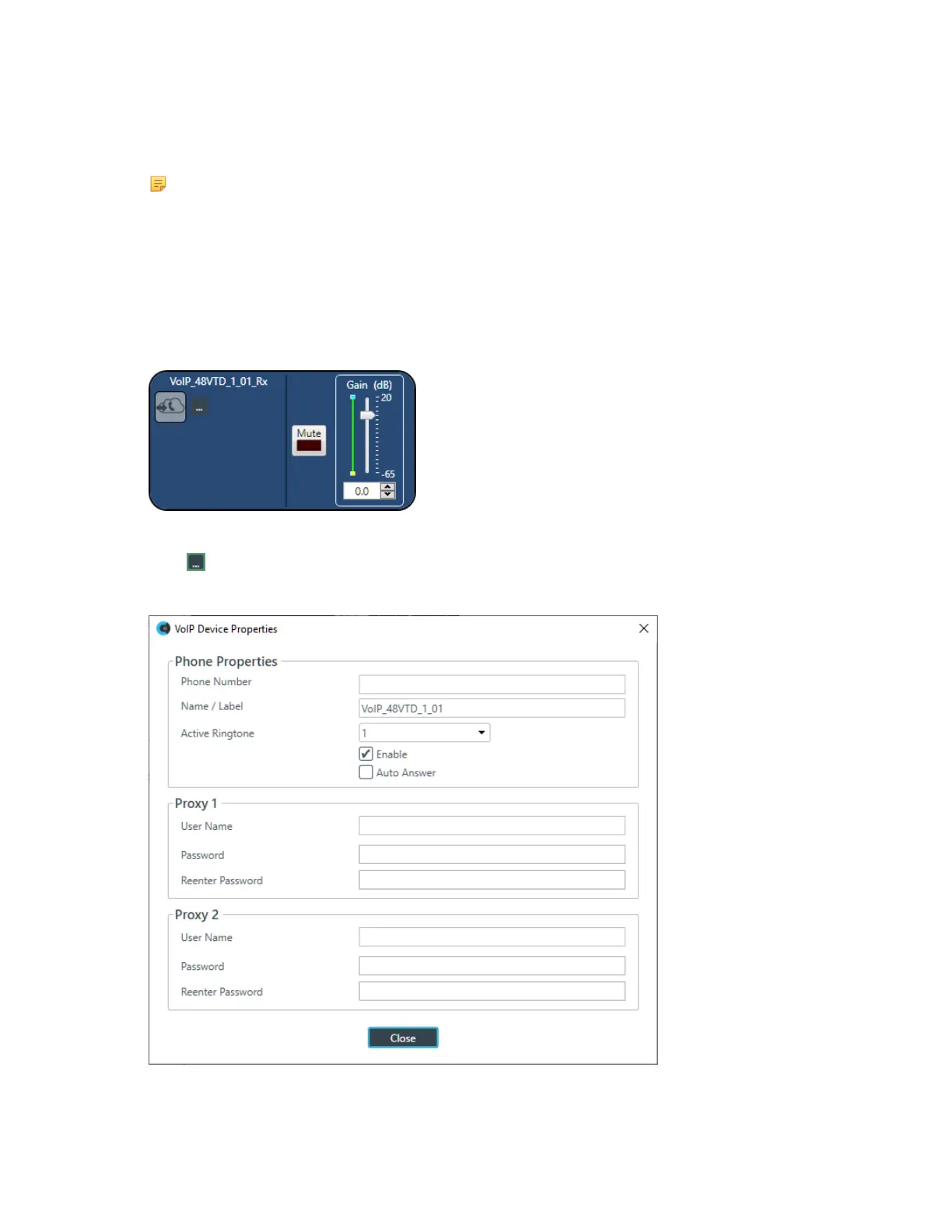
The VoIP Receive Channel Properties block appears:
VoIP Device Properties
6.
Click to change the VoIP device properties for this channel.
The VoIP Device Properties dialog box appears:
7. Change any of the options, as described in the table below:
CONSOLE AI User Manual









 To Next Page