CONSOLE AI | Online Mode (Huddle) | 275
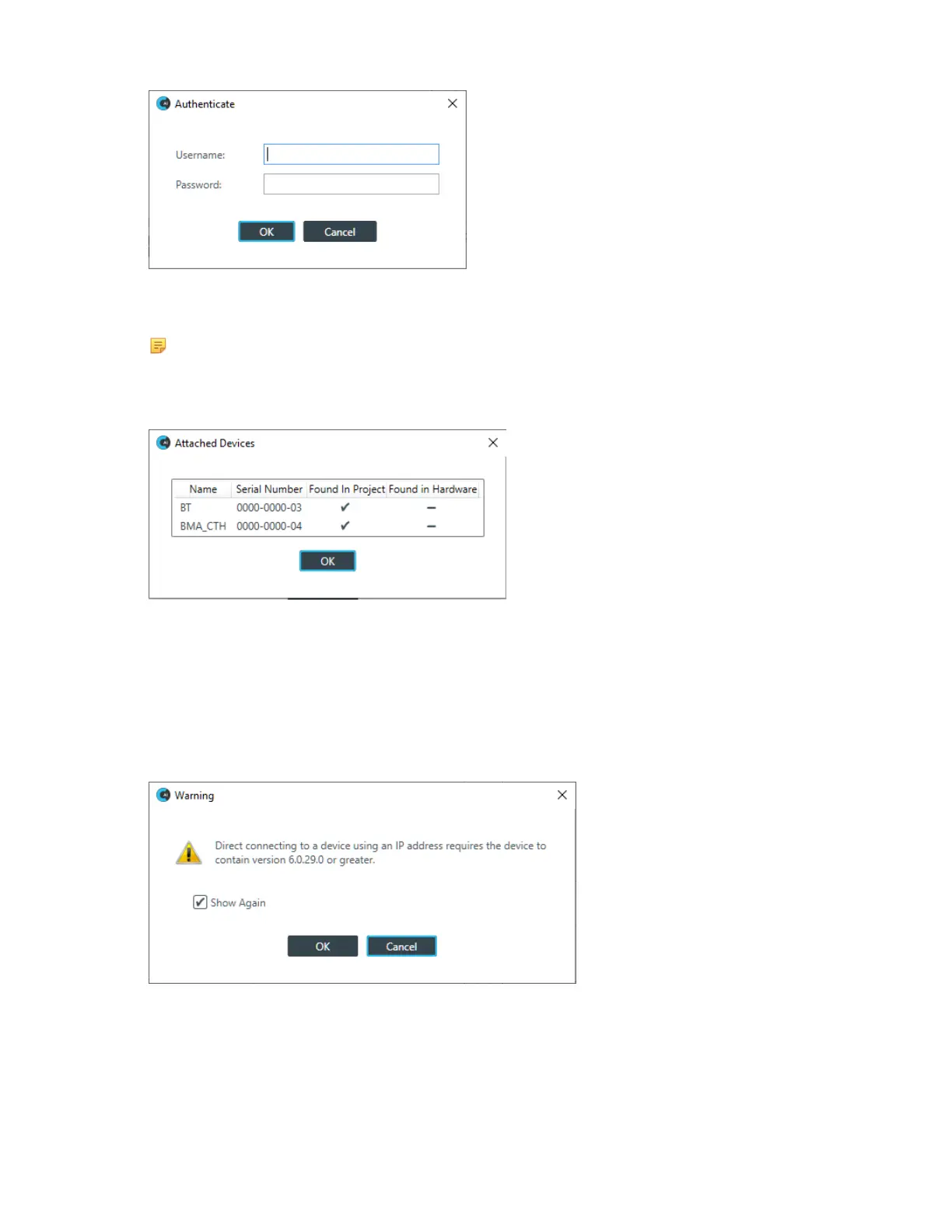
5. Type the username and password for the device, and then click OK.
Assuming you have provided the correct credentials, you are connected to the device.
Note:
Huddle projects created after a certain date include a BMA CTH and a Bluetooth Expander.
Depending on when you created your Huddle project and whether you have a BMA CTH and a
Bluetooth Expander, you may see the following dialog box:
This dialog shows you when there are devices found in the project that are not found in the hardware.
There’s no need to be concerned. Just click OK. You will see this dialog box each time you connect and
the hardware found doesn’t match the devices listed in the project.
Direct Connect
6. If the device you want to connect to isn’t listed, you can also connect to the device by specifying the IP
address manually by clicking Direct Connect.
A warning dialog box appears:
7. If you want to not have this dialog box shown when using Direct Connect, deselect the Show Again
check box.
8. Click OK.
The Direct Connect dialog box appears:
CONSOLE AI User Manual









 To Next Page