CONSOLE AI | Online Mode (Huddle) | 284
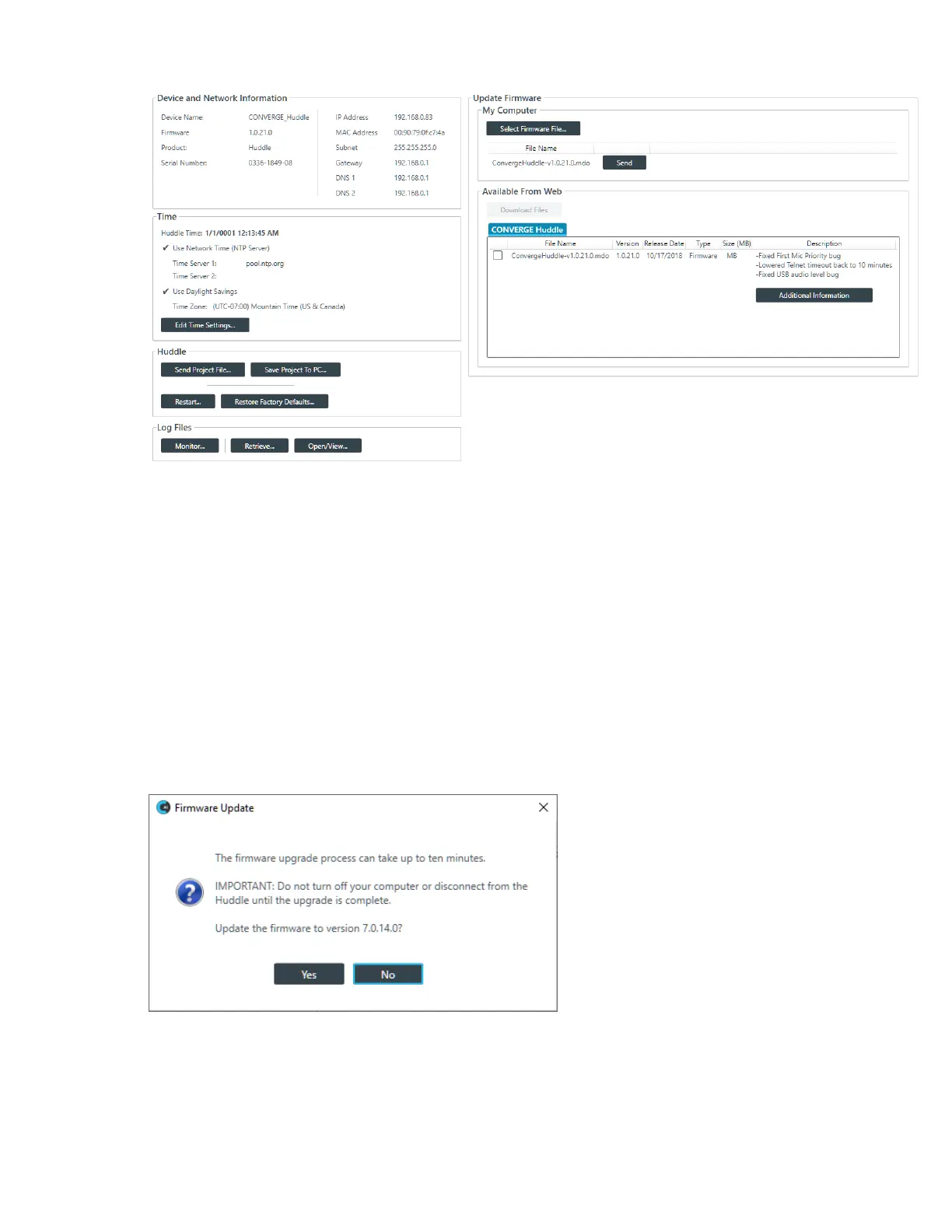
Available updates are shown in the Available From Web area.
3. To download an available firmware update file, select it in the Available From Web area and click
Download Files.
The Download Files dialog box appears and shows download progress.
4. Once download progress is 100%, click OK.
The downloaded file will appear in the My Computer area of the screen. If this is the firmware file you
want to use to update the device, skip the following two steps.
5. (Optional) If you have a firmware file on your computer that you want to use to update the device, rather
than using one from the Available From Web updater, click Select Firmware File.
6. From the dialog box that appears, locate the firmware file you want to use, then click Open.
The selected firmware now appears in the My Computer list.
7. Click the Send button next to the firmware file you want to send to the device.
The Firmware Update dialog box appears:
8. Click Yes to update the firmware using the file you selected.
The Firmware Update dialog box appears:
CONSOLE AI User Manual









 To Next Page