CONSOLE AI | Online Mode (CP2) | 295
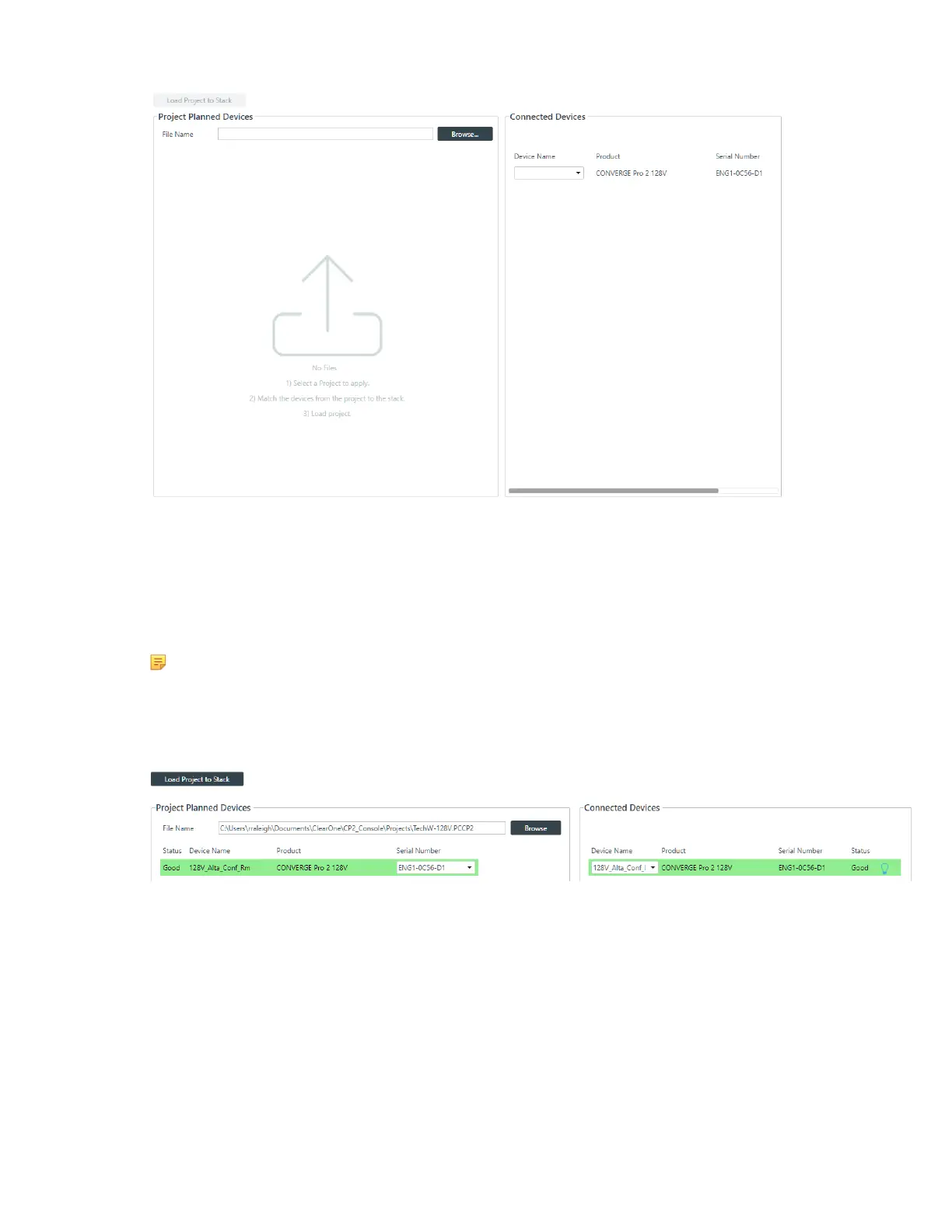
3. To choose a project file from disk, click Browse.
The Open dialog box appears.
4. Use the Open dialog box to locate a project file. Select the file, and then click Open.
5. Next you must match the device specified in the project with a connected device. Under Project
Planned Devices, choose an option from the Serial Number drop-down list OR under Connected
Devices, choose an option from the Device Name drop-down list.
Note:
The device name is set using the device settings. See Changing CP2 Device Settings - General
for more information. If you have not set a device name, the CONSOLE application gives the
device a default name, such as Name1.
6. Once the project device and the connected device are matched, they both appear highlighted in green:
7. Click Load Project to Stack.
If the project includes an IP address change, the following warning appears:
CONSOLE AI User Manual









 To Next Page