CONSOLE AI | Interface | 47
6.
To go directly to the part of the interface that corresponds to an item in the checklist, click to the right
of that item.
7. To check off an item you have already completed, click the box to the left of that item to add a check
mark.
8. To make an item as ignore (something not checked in project audit), click the box to the left of that item
twice so that an X appears in the box rather than a check mark.
9. Click Start to start an audit.
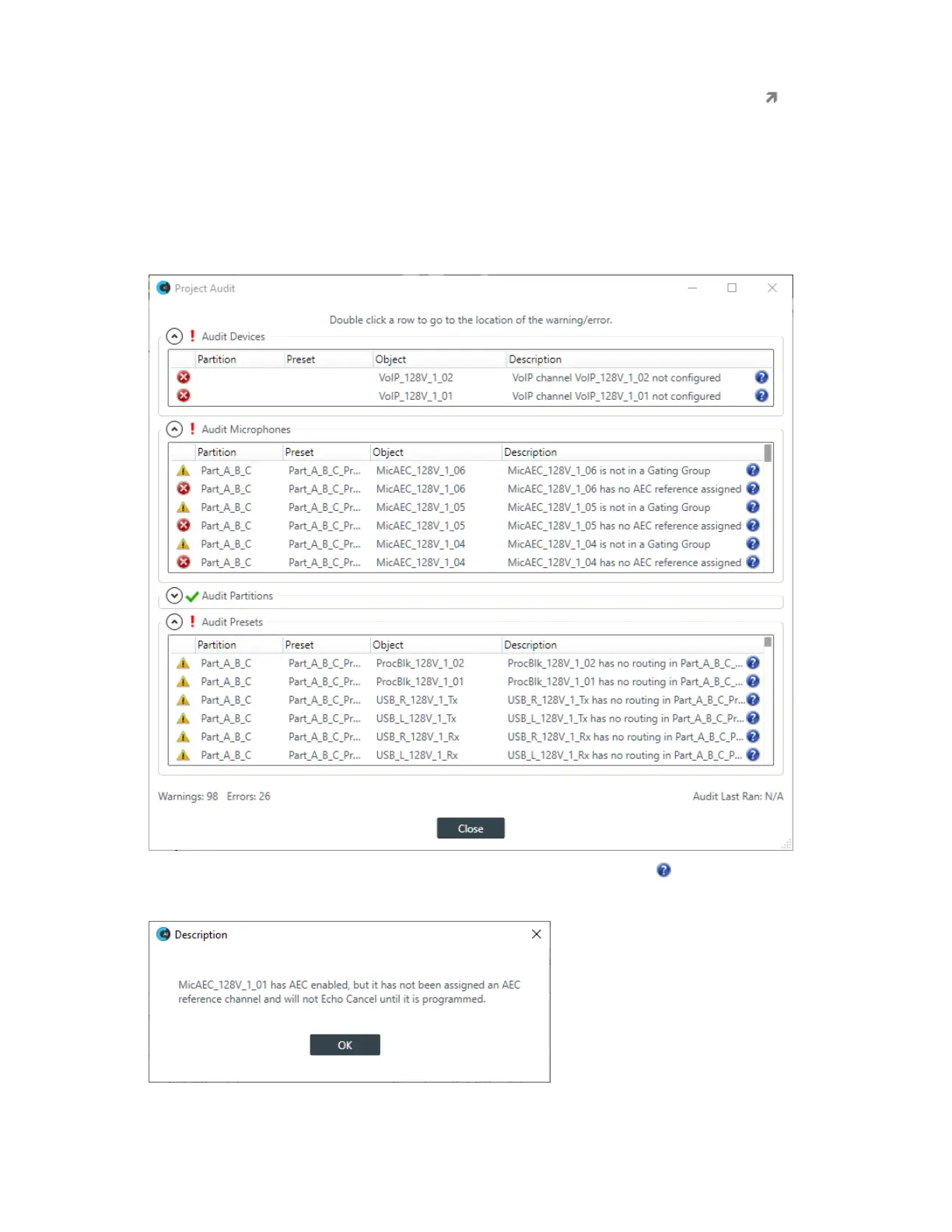
A project audit is run, and any possible project warnings or errors are listed:
10.
To see more details about a particular warning or error in the list, click the icon next to a warning.
You are shown information about that item, such as in this example:
11.To make adjustments based on something in the list, double-click an item in the list.
CONSOLE AI User Manual









 To Next Page