CONSOLE AI | Configuration - Offline (Huddle) | 86
3. Select the channel you want to change.
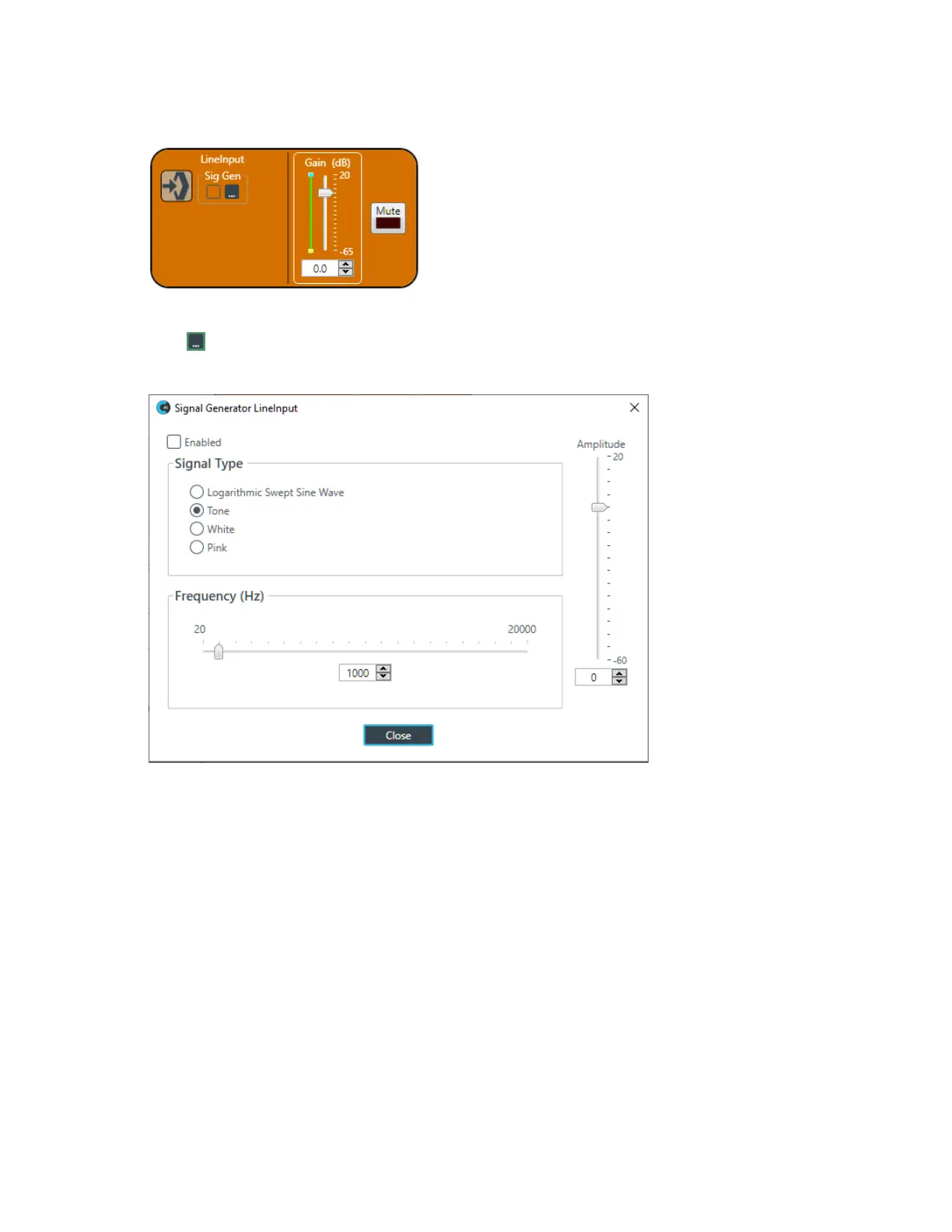
The Line Input Channel Properties block appears:
Signal Generator
4.
Click under Sig Gen to use the Signal Generator.
The Signal Generator dialog box appears:
5. Change any of the options, as described in the table below:
Option Description
Enabled Whether the signal generator is enabled.
Signal Type Choose from the following options:
• Logarithmic Swept Sine Wave-A test signal increasing in frequency using
exponential steps (i.e., rises on a curve).
• Tone-A sine-wave test with less than .03% distortion. When using Tone you
specify a frequency.
• White-A test signal with equal energy distribution throughout a given frequency
range.
• Pink-A test signal containing all the frequencies in a given audio spectrum, with
equal energy in each octave.
Frequency The frequency of the signal. Applies only when the signal type is Tone.
Amplitude The amount of gain, or volume, to use during signal generation.
6. Click Close.
CONSOLE AI User Manual









 To Next Page