E-GENIUS
4.6.3 Mounting | Mounting Calibration Wizard
For complete information on using the Mounting Calibration Wizard, see section 5.3.
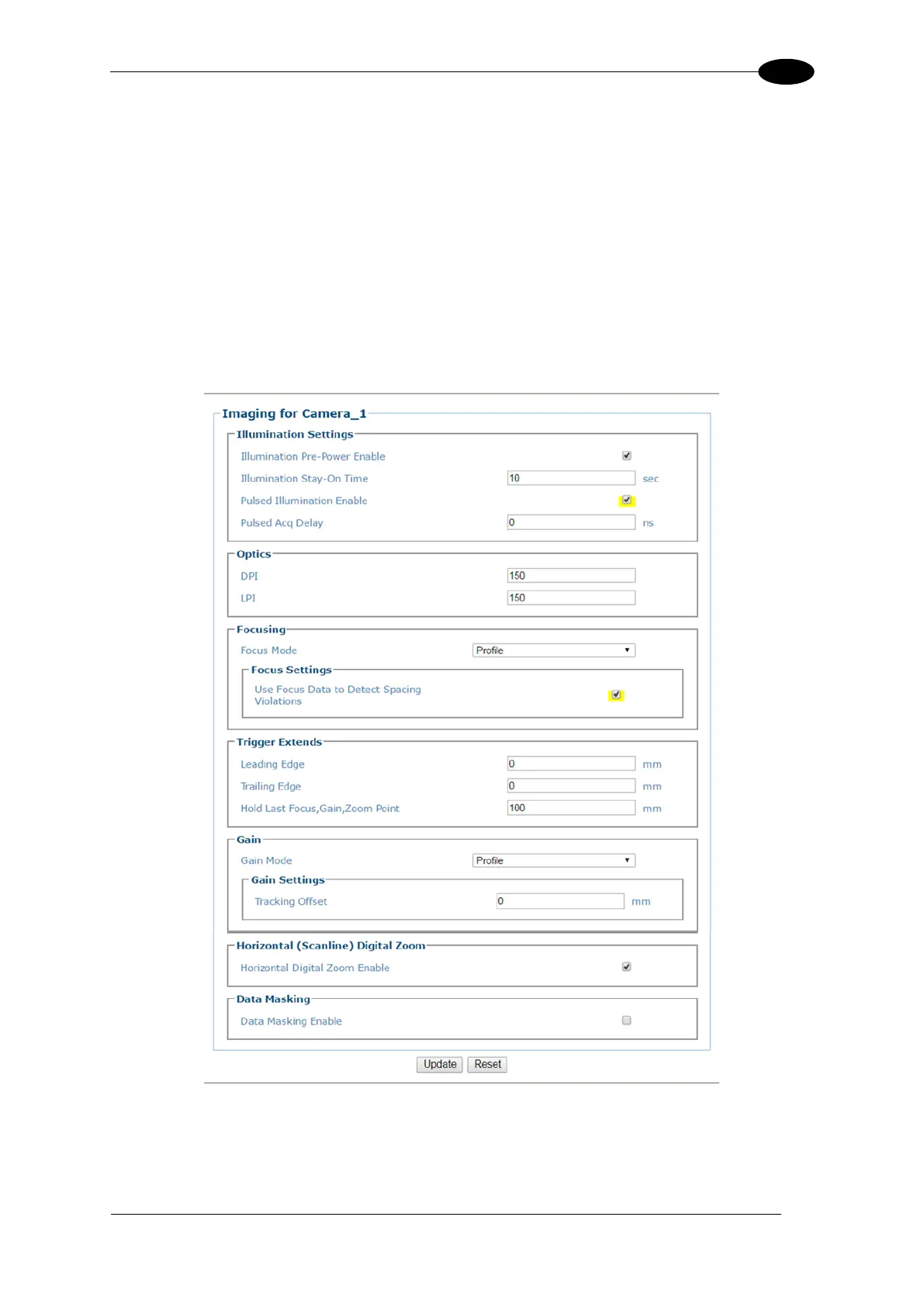
4.6.4 Modify Settings | Device Settings | <Camera name> | Imaging
Use the Imaging window to configure how images are handled by the selected camera.
To view the Imaging window:
1. In the menu tree under Modify Settings, navigate to Device Settings | <Camera name>
| Imaging. The Imaging window opens.


 To Next Page
 Loading...