Diagnostic aids 3-29
Best Speed
Settings are For short jobs and For long jobs. Make a setting change, and then press . Submitting
selection appears on the display.
Press to exit the CONFIG MENU. The message Resetting the Printer displays, and the printer
performs a POR and restarts in normal mode.
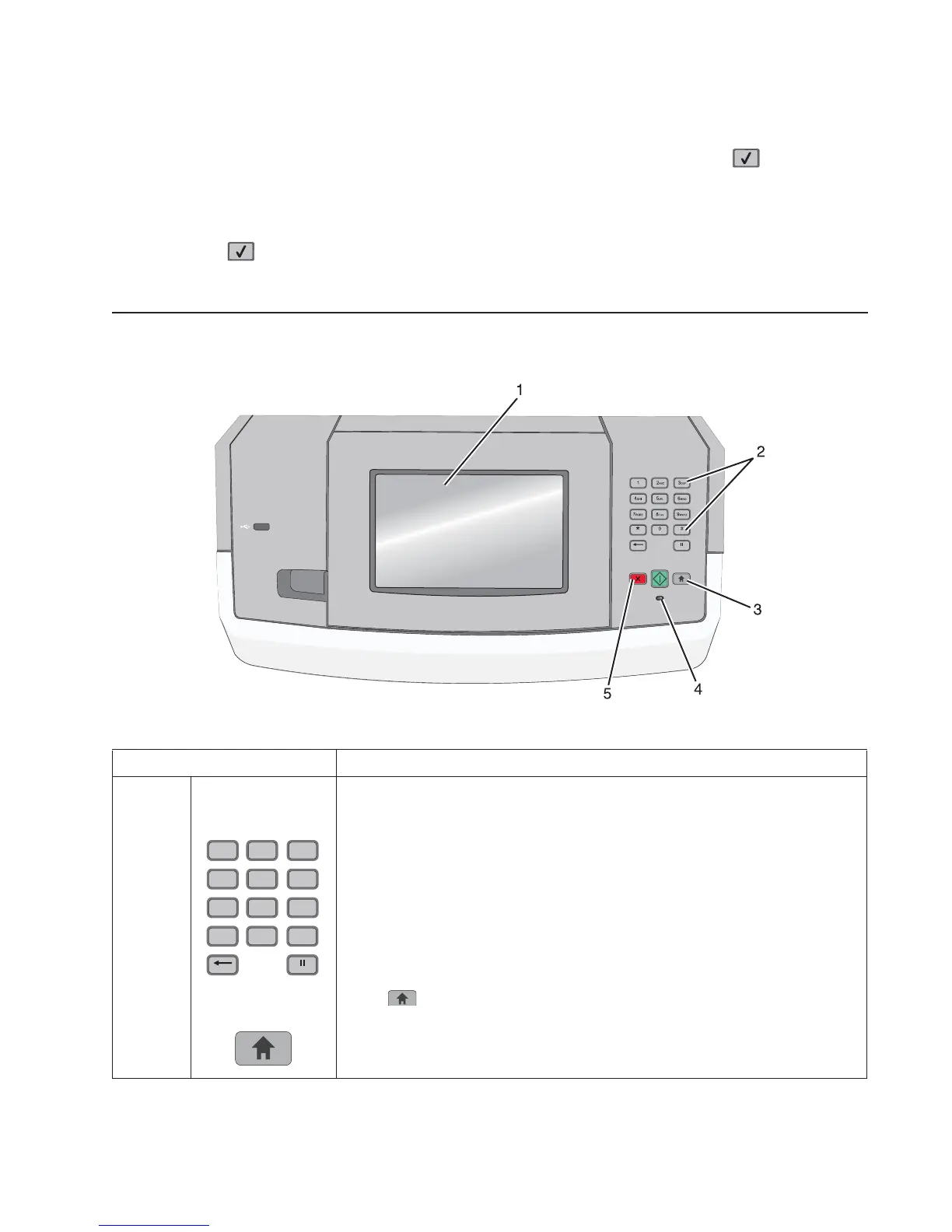
Understanding the printer control panel (model T656)
Item Description
1 Display View printing options as well as status and error messages.
2 Keypad Enter numbers or symbols on the display.
3 Home Press to return to the home screen.
12
ABC
3
DEF
6
MNO
5
JKL
4
GHI
9
WXYZ
8
TUV
7
PQRS
#0
*
Exit Config Menu (models 5230n/dn, 5350dn, and 5530dn)















 To Next Page