4-74 Service Manual
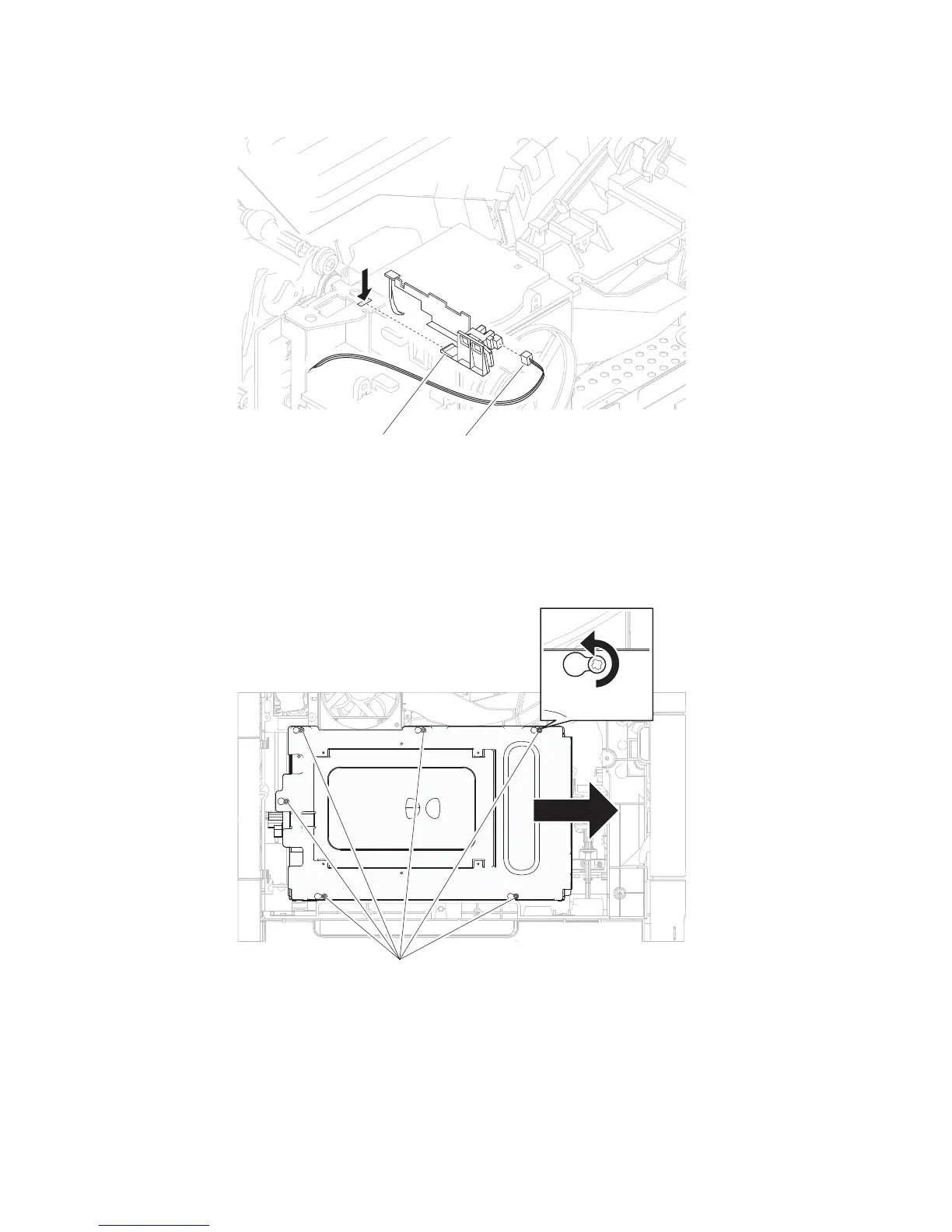
3. Press the tab (B) to release the standard bin actuator assembly from the machine.
4. Remove the standard bin actuator assembly.
Switch (media size) assembly removal
1. Remove the side cover, left. Go to “MPF cam gear removal” on page 4-36 or “Side cover, left removal
2. Remove the six screws (A) securing the metal cover to the machine.
3. Remove the metal cover.
4. Remove the media tray.
5. Gently place the machine on the left of right side.
(5350dn, 5530dn, and T656)” on page 4-67.















 To Next Page