4-32 Service Manual
Main cooling fan removal
1. Remove the side cover, left assembly. Go to “MPF cam gear removal” on page 4-36 or “Side cover, left
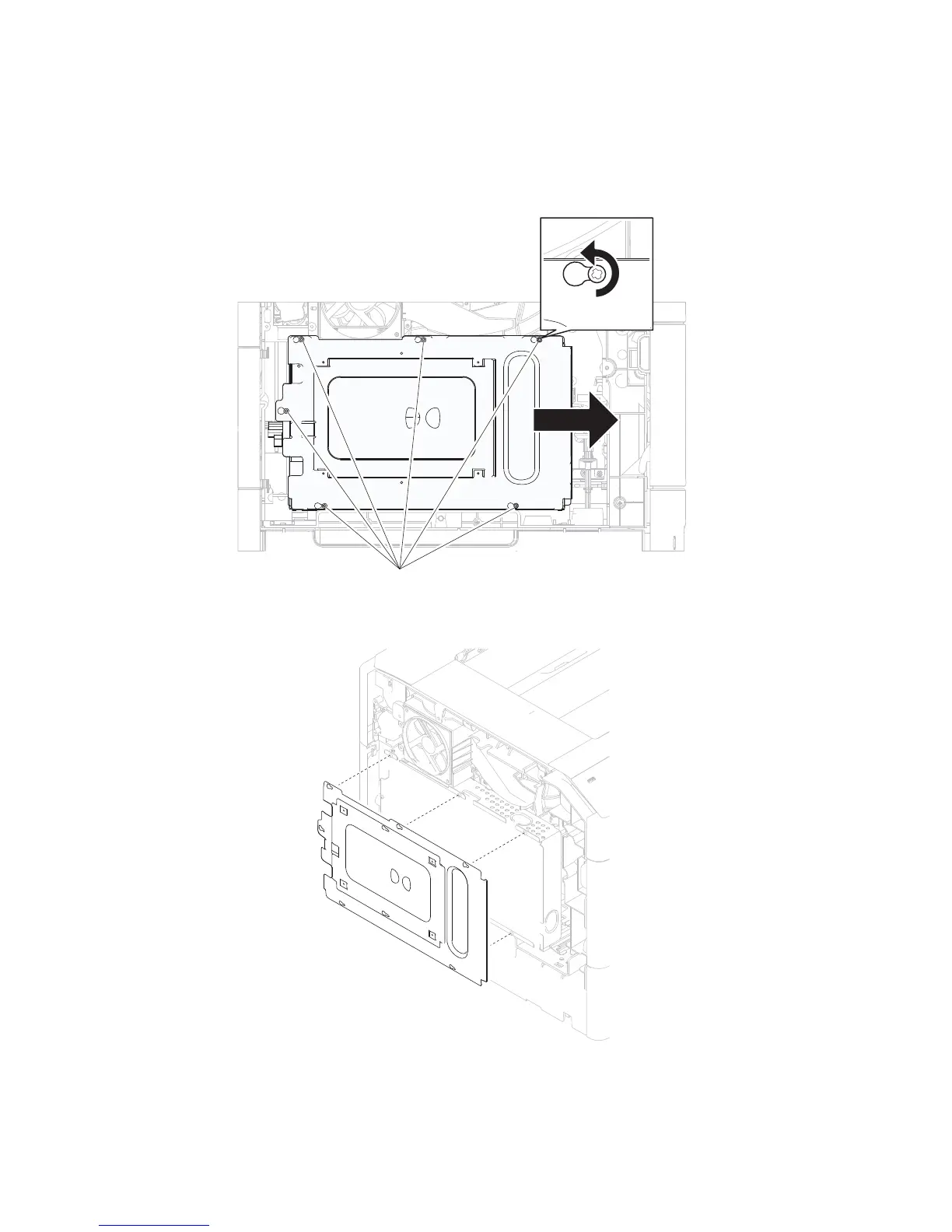
2. Remove the six screws (A) securing the metal shield to the machine.
3. Move the metal shield in the direction of the arrow.
4. Remove the metal shield.
5. Remove the two screws (B) securing the fuser cooling fan to the machine.
6. Remove the fuser cooling fan.
removal (5350dn, 5530dn, and T656)” on page 4-67.















 To Next Page