4-190 Service Manual
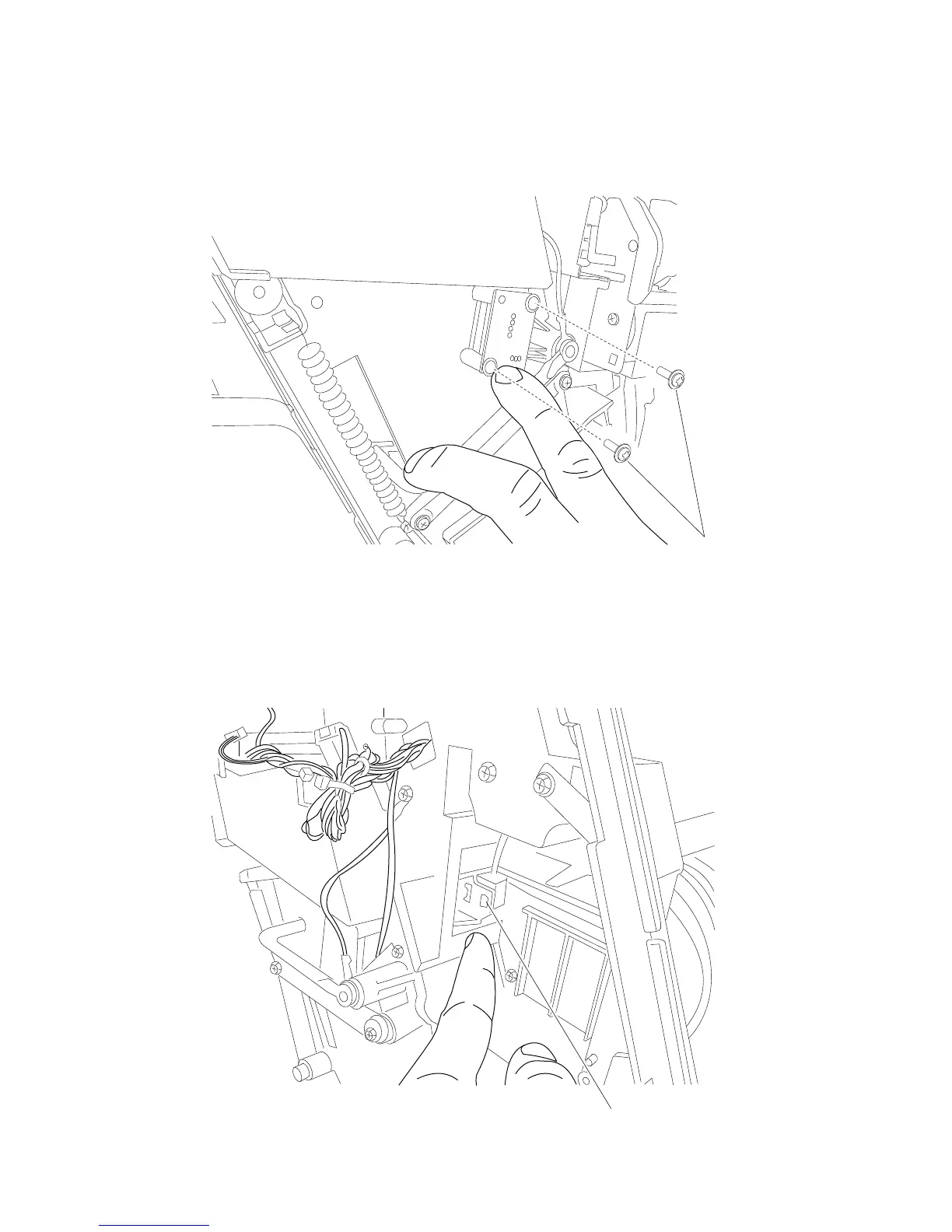
SFP stapler assembly sensor (bin full receive) removal
1. Remove the right cover. Go to “SFP stapler assembly right cover removal” on page 4-173.
2. Remove the two screws (A) securing the sensor (bin full receive).
3. Disconnect the harness and remove.
SFP stapler assembly sensor (media in stapler) removal
1. Remove the stapler unit assembly from the. Go to “SFP stapler assembly stapler unit assembly
removal” on page 4-183.
2. Using a flat-blade screwdriver, release the tabs (A) securing the sensor.















 To Next Page