Repair Information 4-159
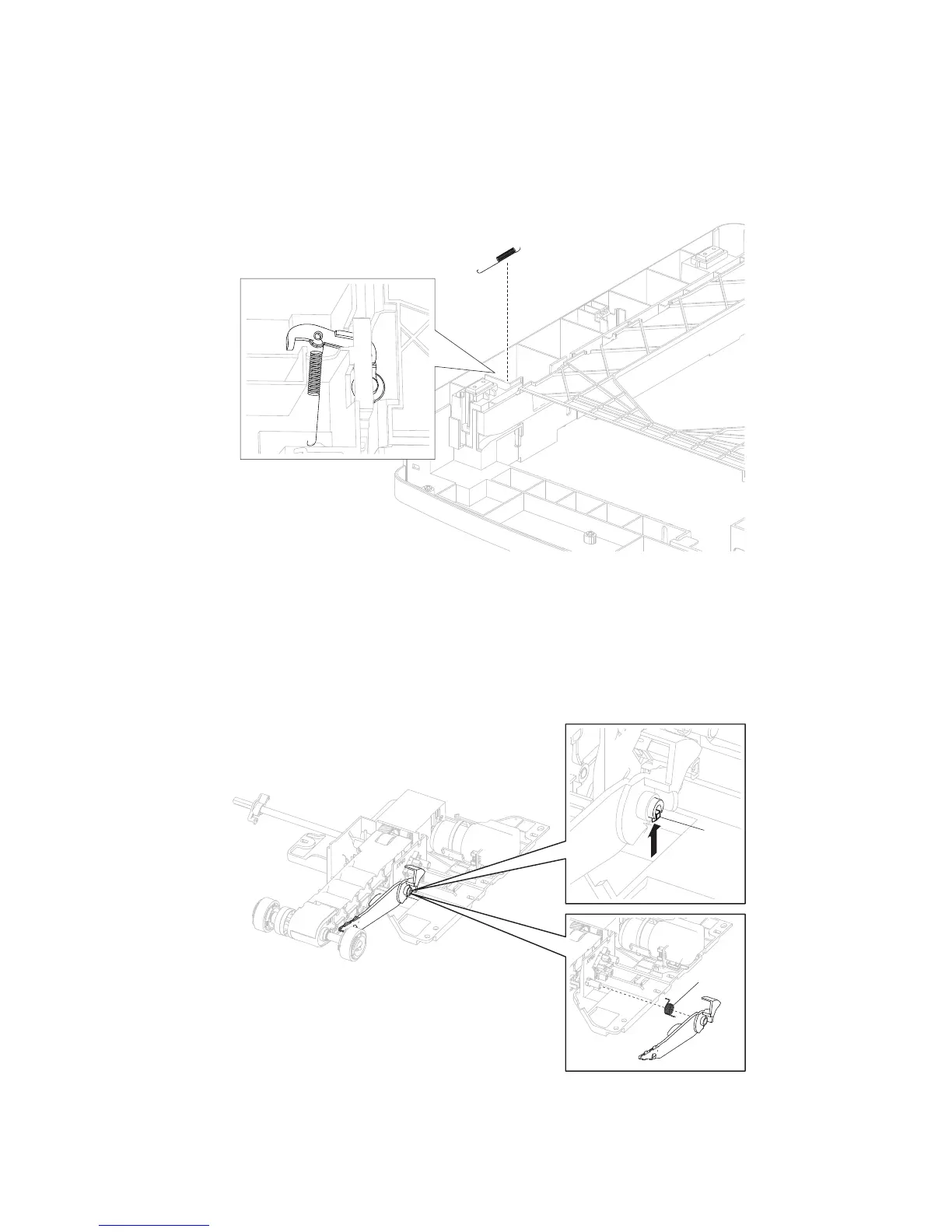
Media tray catch spring removal
1. Remove the 250-sheet frame assembly. Go to “250-sheet frame assembly removal” on page 4-105.
2. Turn the drawer upside down to access the media tray catch spring.
3. Release the media tray catch spring.
1. Remove the 550-sheet pick arm bracket assembly. Go to “550-sheet pick arm bracket assembly
removal” on page 4-109.
2. Release the hook (A) securing the media out actuator with spring to the 550-sheet pick arm bracket
assembly.
3. Detach the spring (B) from the media out actuator.
A
B
Media out actuator removal (models 5350dn and 5530dn)















 To Next Page