4-16 Service Manual
Note: When removing the duplex drive motor assembly, it does not need to be completely removed from the
machine. It may be allowed to gently hang out of the way by the harness.
2. Remove the pick arm assembly. Go to “Operator panel door assembly removal (T656)” on page 4-49.
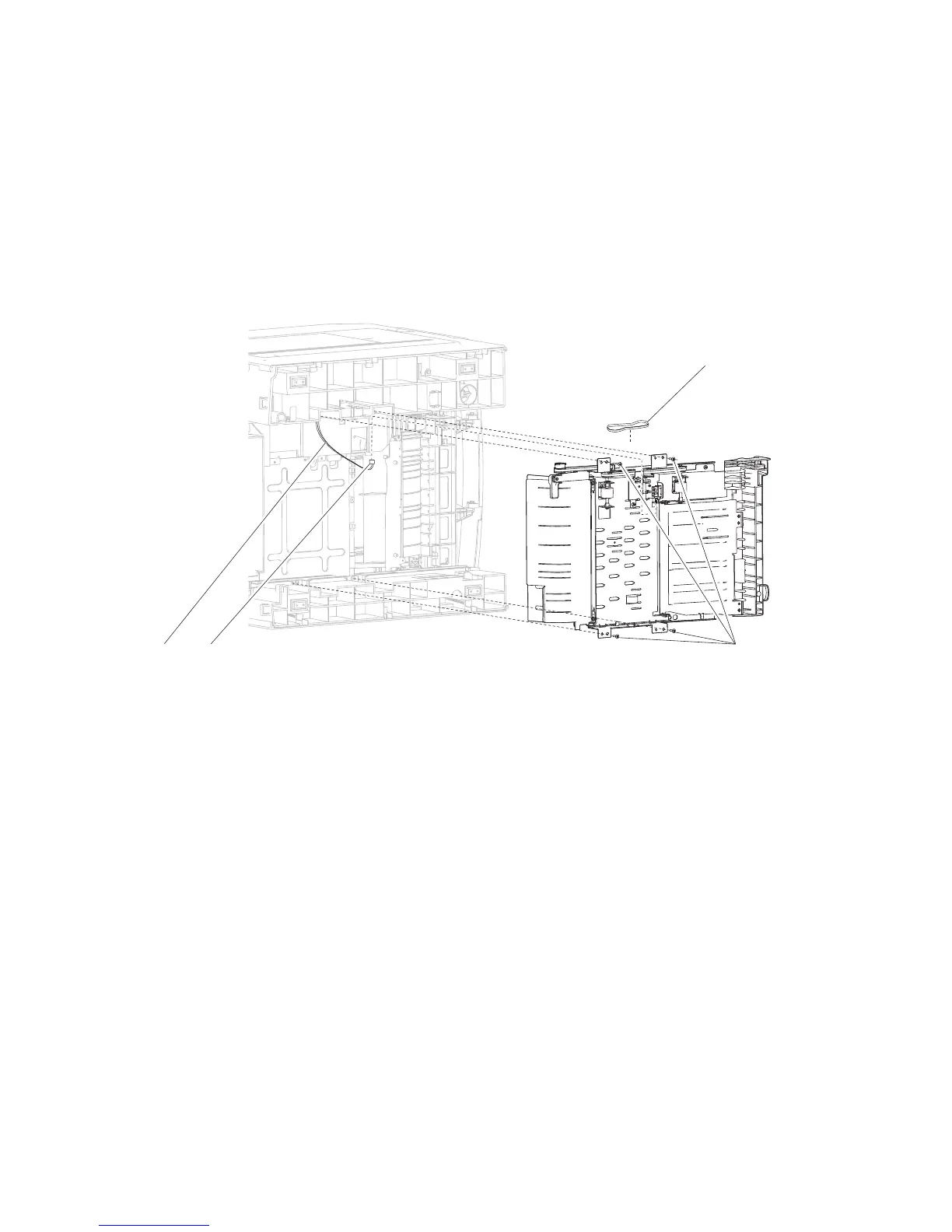
3. Remove the four screws (A) securing the duplex assembly to the machine.
4. Remove the harnesses (B) from the clamp.
5. Disconnect the connection (C) from the duplex assembly.
Note: When removing the duplex assembly, the lower duplex drive belt (D) will become detached.
6. Remove the duplex assembly.
Replacement Warning: When replacing the duplex assembly, ensure that the lower duplex drive belt (D) is
properly reattached.
D
Duplex assembly removal (5350dn, 5530dn, and T656)
5530dn, and T656)” on page 4-18.
1. Remove the duplex drive motor assembly. Go to “Duplex drive motor assembly removal (5350dn,















 To Next Page