4-138 Service Manual
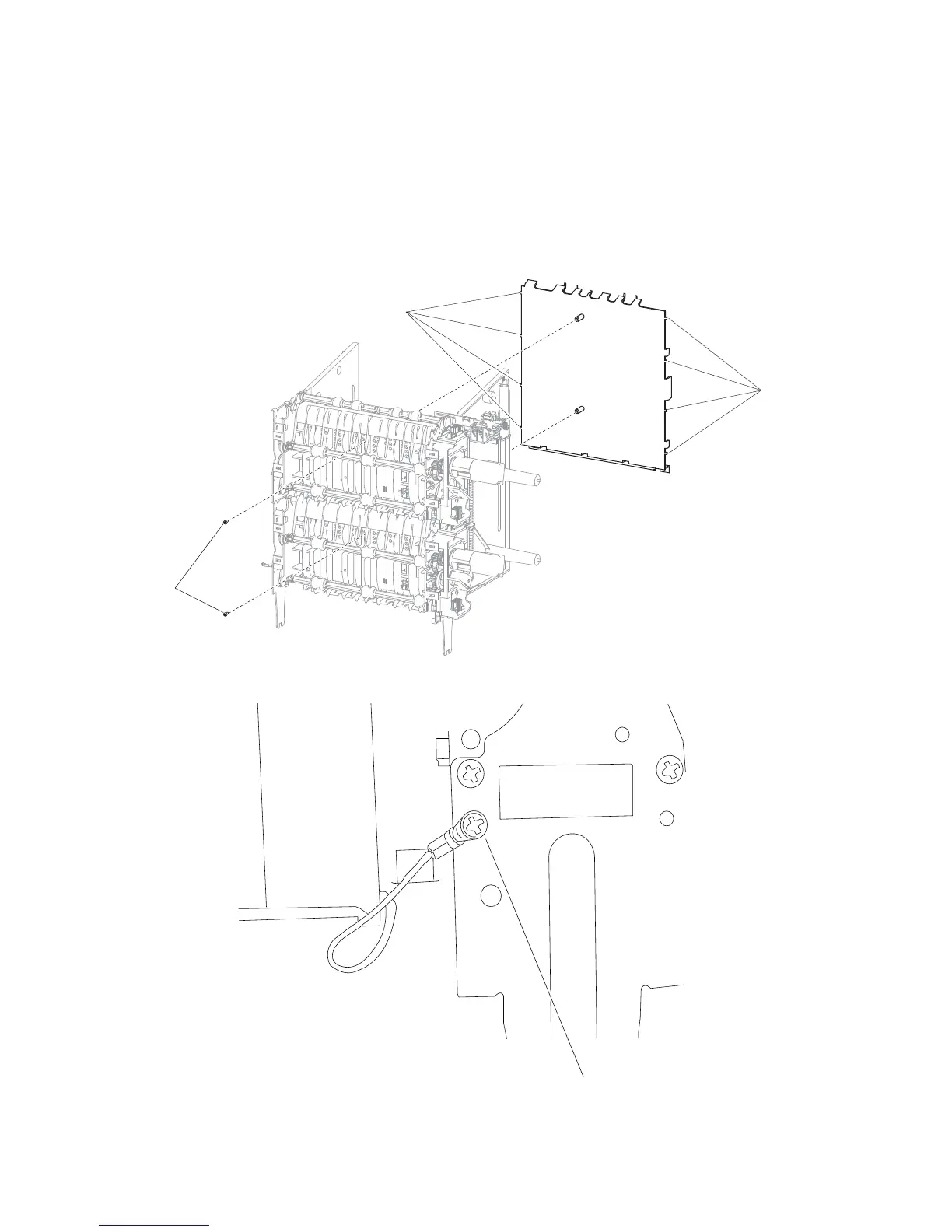
High capacity stacker controller card cover panel removal
1. Remove the media output bin assembly. Go to “High capacity stacker media output bin assembly
removal” on page 4-137.
2. Remove the two screws (A) securing the controller card cover panel on the rear of the assembly.
3. Remove the screw (B) securing the ground strap to the right frame.
4. Flex the controller card cover panel by grasping the bottom middle of the panel and lifting it, releasing the
tabs (C) from the left and right frame.















 To Next Page