Repair Information 4-63
Redrive assembly removal
1. Remove the door assembly, rear. Go to “Door assembly, rear removal” on page 4-14.
2. Open the fuser access door.
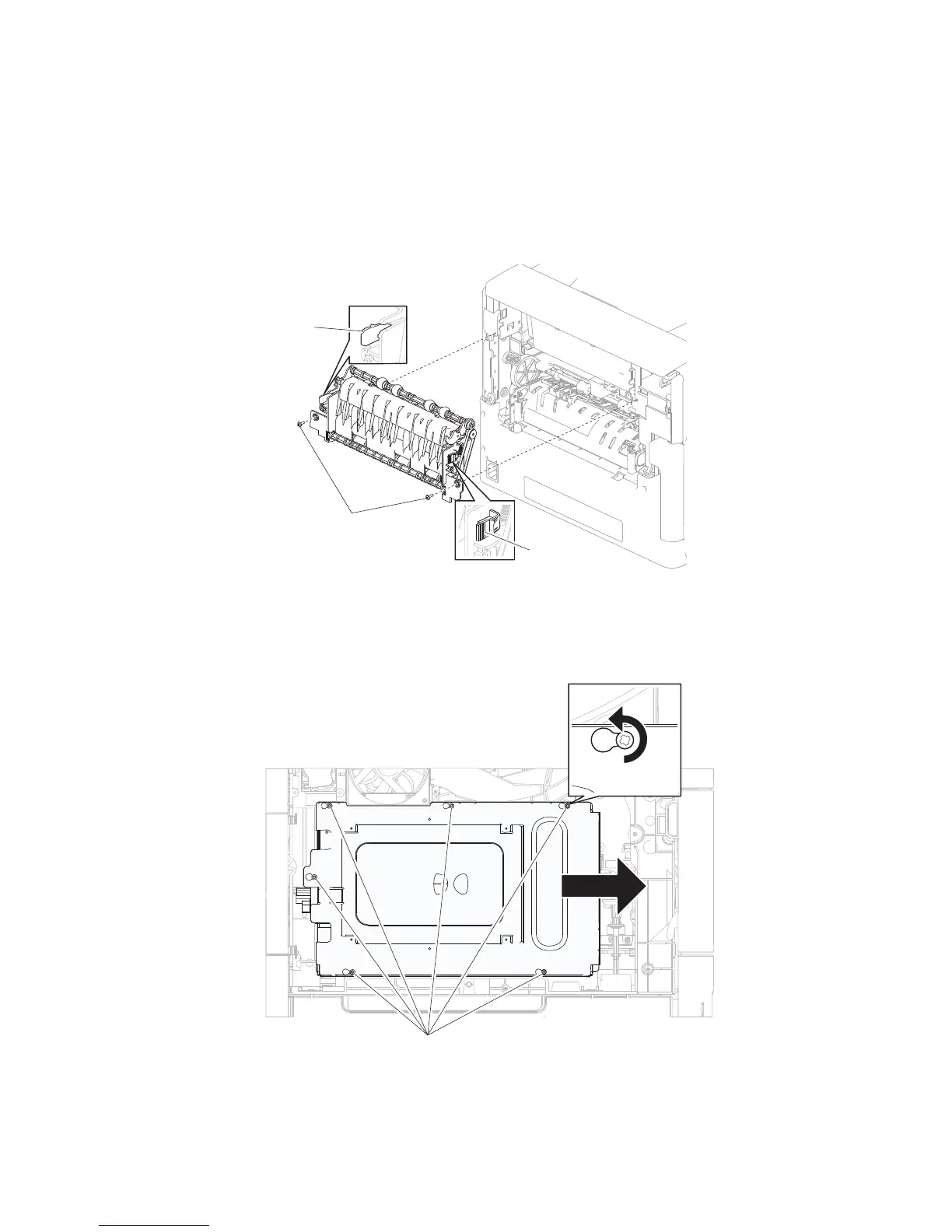
3. Remove the two screws (A) securing the redrive assembly to the machine.
4. Press the two tabs (B) to release the redrive assembly to the machine.
5. While pressing the two tabs (B), pull the redrive assembly from the machine.
1. Remove the laser cover. Go to “Laser cover removal” on page 4-26.
2. Remove the six screws (A) securing the metal cover to the machine.
Redrive motor assembly removal (5350dn, 5530dn, and T656)















 To Next Page