Repair Information 4-35
Media support removal
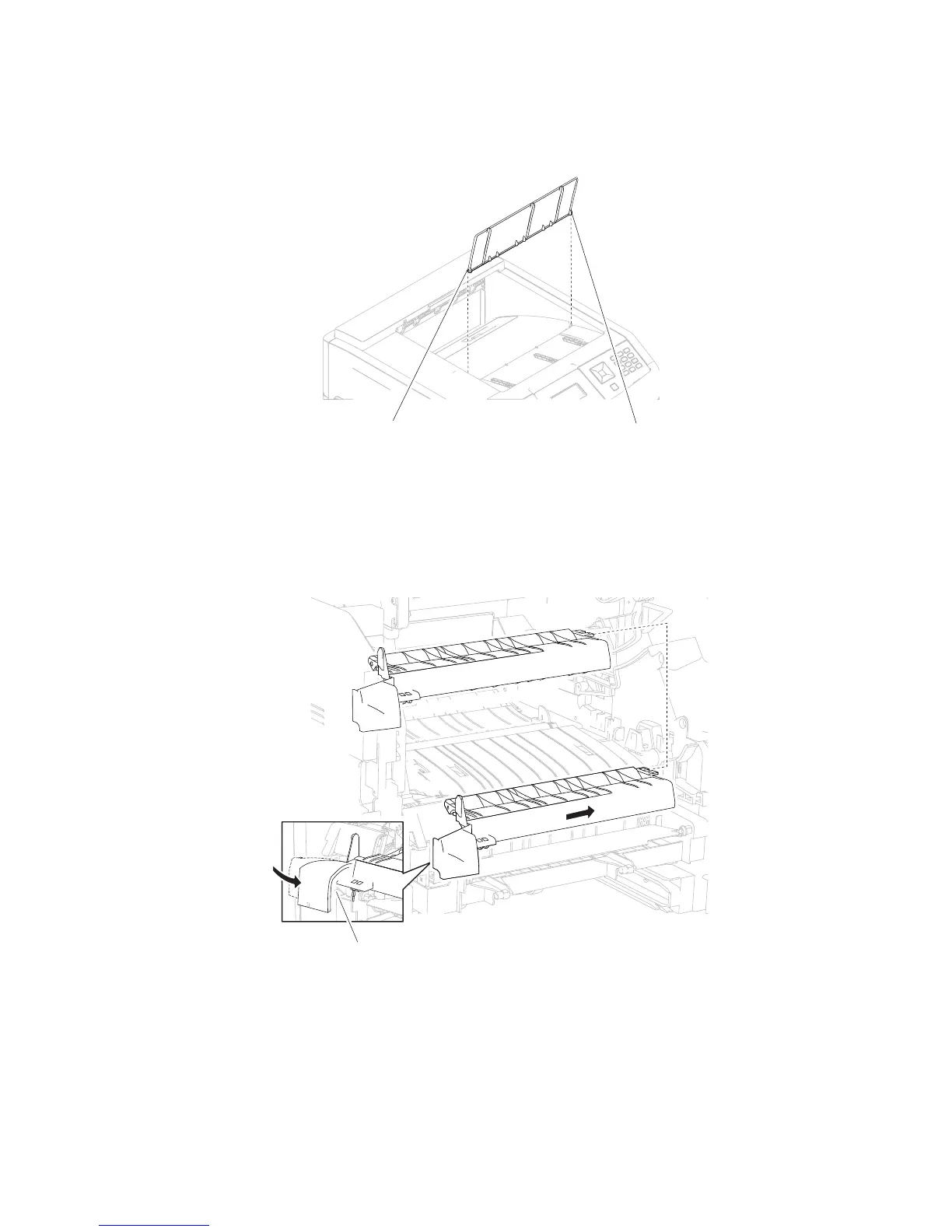
1. Gently detach the two bosses (A) of the media support from the machine.
2. Remove the media support.
Media turn guide removal
2. Gently bend the left side of the media turn guide to release the hook (A) as shown in the picture.
3. While gently bending the media turn guide, move the media turn guide in the direction of the arrow.
4. Remove the media turn guide.
Replacement Warning: When replacing the media turn guide, ensure that it is properly installed, or jamming
will occur.
1. Remove the MPF tray door assembly. Go to “MPF tray door assembly removal (5230n/dn, 5350dn,
and 5530dn)” on page 4-40.















 To Next Page