4-26 Service Manual
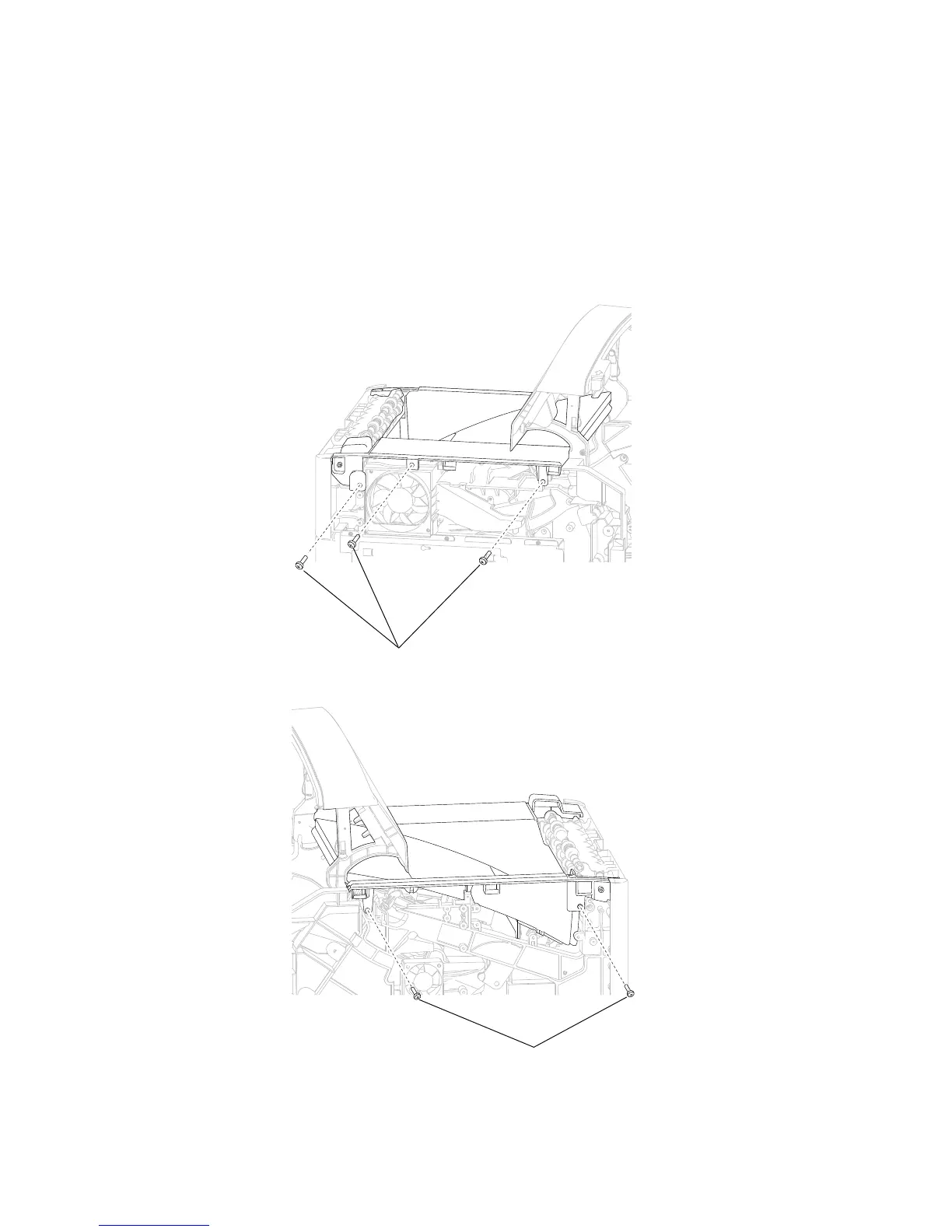
Laser cover removal
1. Remove the output cover assembly. Go to “Output cover assembly removal” on page 4-54.
2. Remove the fuser wiper cover assembly. Go to “Fuser wiper cover assembly removal” on page 4-23.
3. Remove the side cover, left. Go to “MPF cam gear removal” on page 4-36 or “Side cover, left removal
5. Remove the five screws (A) securing the laser cover to the machine.
WARNING: When removing the laser cover, ensure that the standard bin actuator assembly does not become
damaged.
4. Remove the side cover, right. Go to “Side cover, right removal (5230n/dn)” on page 4-67 or
“Side cover, right removal (5350dn, 5530dn, and T656)” on page 4-68.
(5350dn, 5530dn, and T656)” on page 4-67.















 To Next Page