4-96 Service Manual
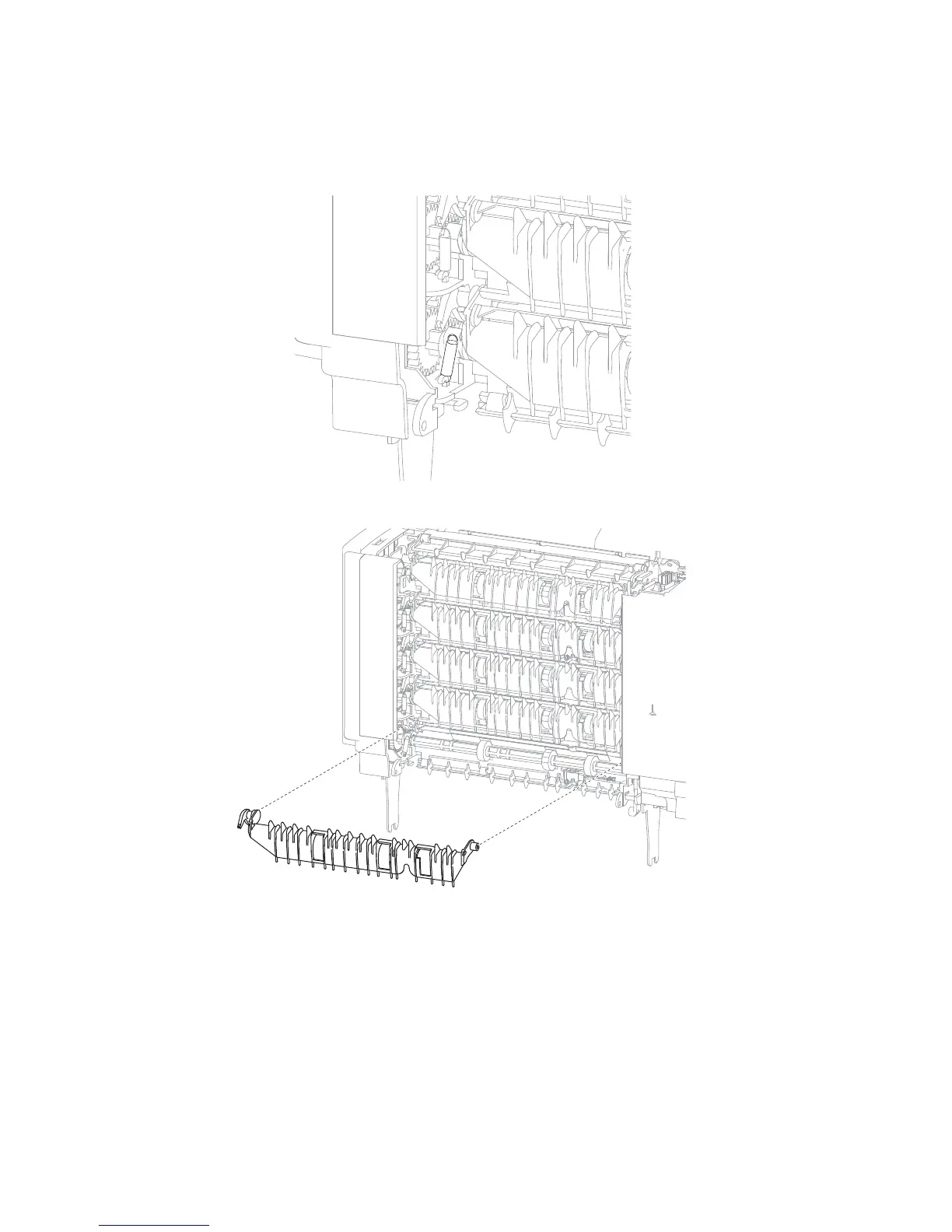
5-bin mailbox media bin first through fourth deflector removal
1. Remove the rear door assembly. Go to “5-bin mailbox rear door assembly removal” on page 4-85.
2. Using a springhook, remove the deflector spring from the deflector.
3. Unsnap each side of the deflector and remove.
Replacement Note: The static brush mylar assembly is attached to the media bin fifth deflector. Do not forget
to reinstall it on the new deflector.















 To Next Page