4-14 Service Manual
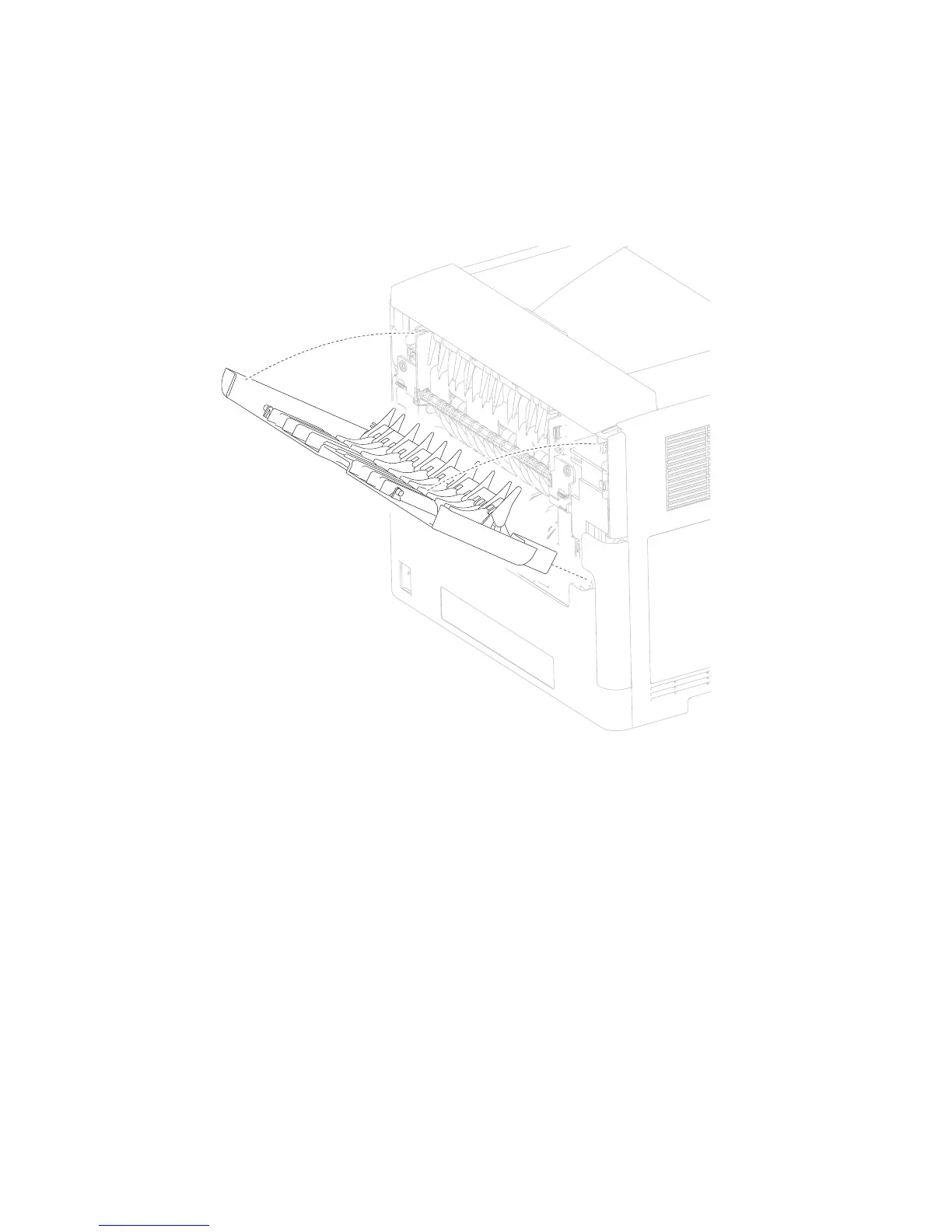
Door assembly, rear removal
1. Pull the door assembly, rear away from the machine.
2. Twist the door strap left or right until vertical, and pull the strap out of the slot.
3. Position the door assembly, rear at a 45° angle as shown in the picture.
4. Remove the door assembly, rear.
2. Remove the media tray.
3. Gently place the printer on its left or right side.
4. Remove the two screws (A) securing the two retainers (B) to the machine.
5. Remove the two retainers (B).
Duplex guide assembly, rear removal (5350dn, 5530dn, and T656)
1. Remove the cover assembly, rear lower. Go to “Cover assembly, rear lower (5350dn and 5530dn)” on
page 4-12.















 To Next Page