Repair Information 4-125
1. Remove the HCIT cover, left. Go to “High capacity input tray (HCIT) cover, left removal” on page 4-123.
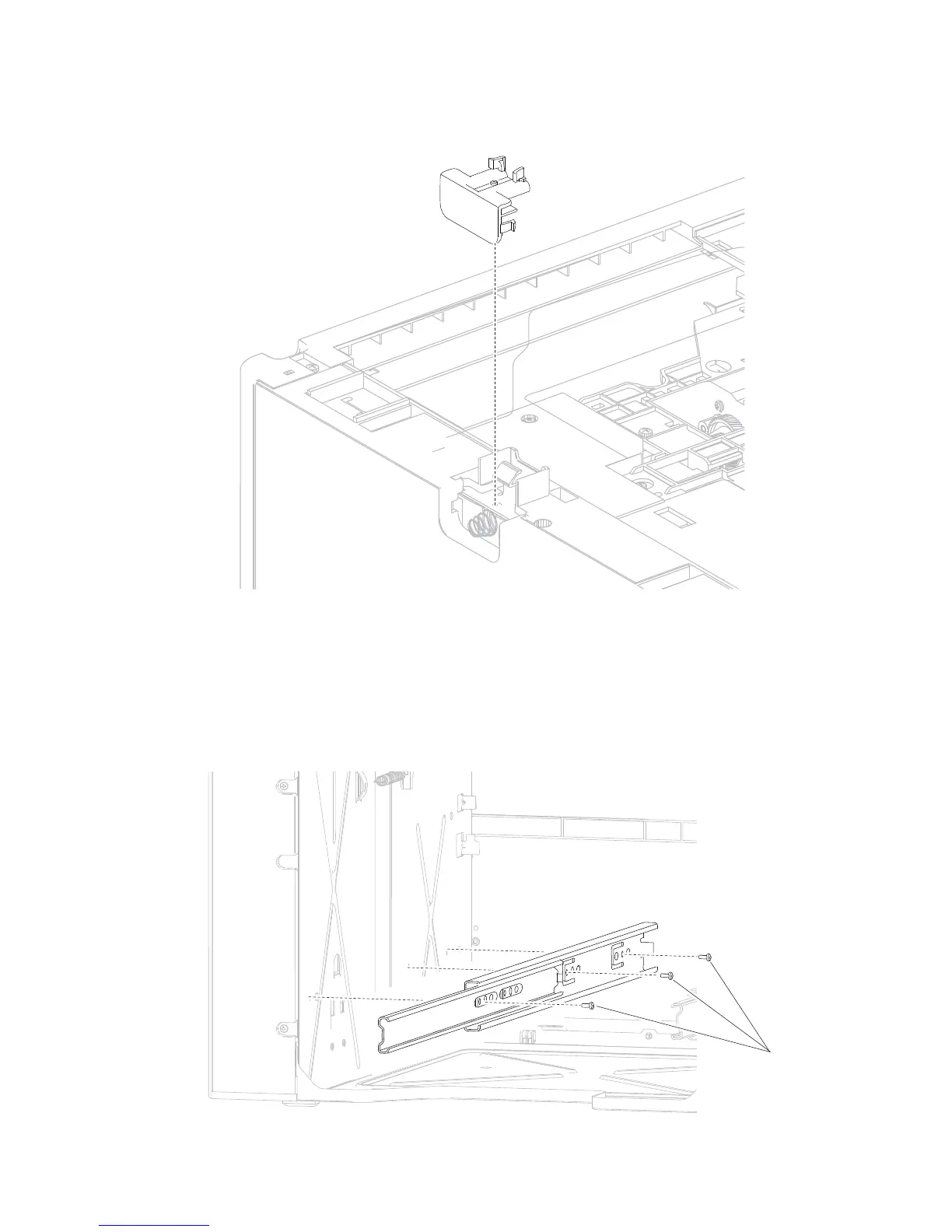
Note: The left side anti-tip assembly will come off when removing the HCIT cover, left.
High capacity input tray (HCIT) drawer slide assembly removal
The left and right drawer slide assemblies are the same, and only one is in a package. The instructions below
are for removing the left slide; removing the right slide has similar instructions.
1. Remove the HCIT media tray assembly. Go to “High capacity input tray (HCIT) media tray assembly
removal” on page 4-116.
2. Remove the three screws (A) securing the HCIT drawer slide to the frame of the drawer.















 To Next Page