4-142 Service Manual
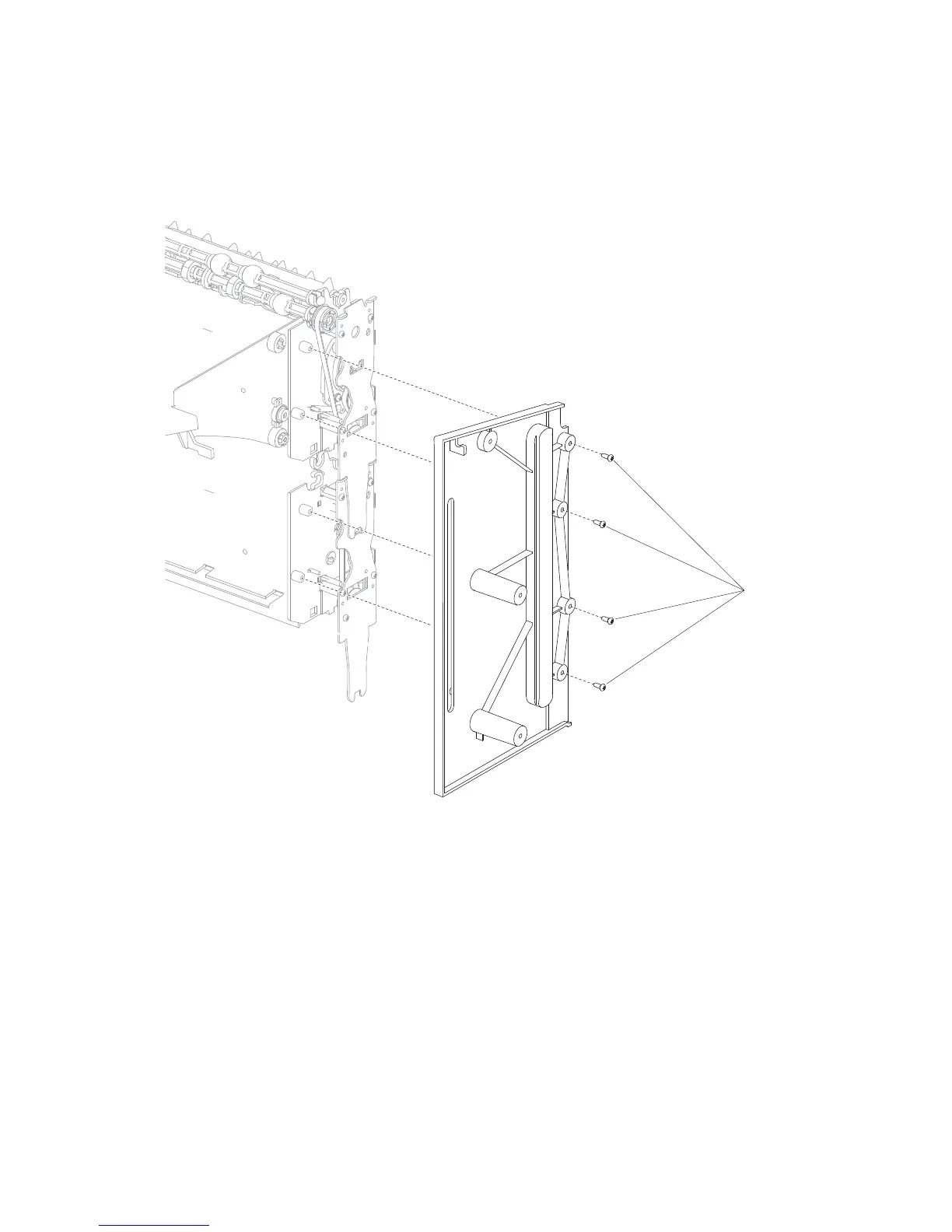
High capacity stacker right frame removal
1. Remove the right media output bin recoil spring.
2. Remove the four screws (A) securing the right frame to the high capacity stacker assembly.
3. Carefully remove the right frame.
Note: When installing the right frame, make sure the media output bin assembly is aligned properly.















 To Next Page