4-22 Service Manual
3. Swing the fuser access door assembly away from the machine.
4. Unsnap the fuser access door assembly from the machine.
5. Remove the fuser access door assembly.
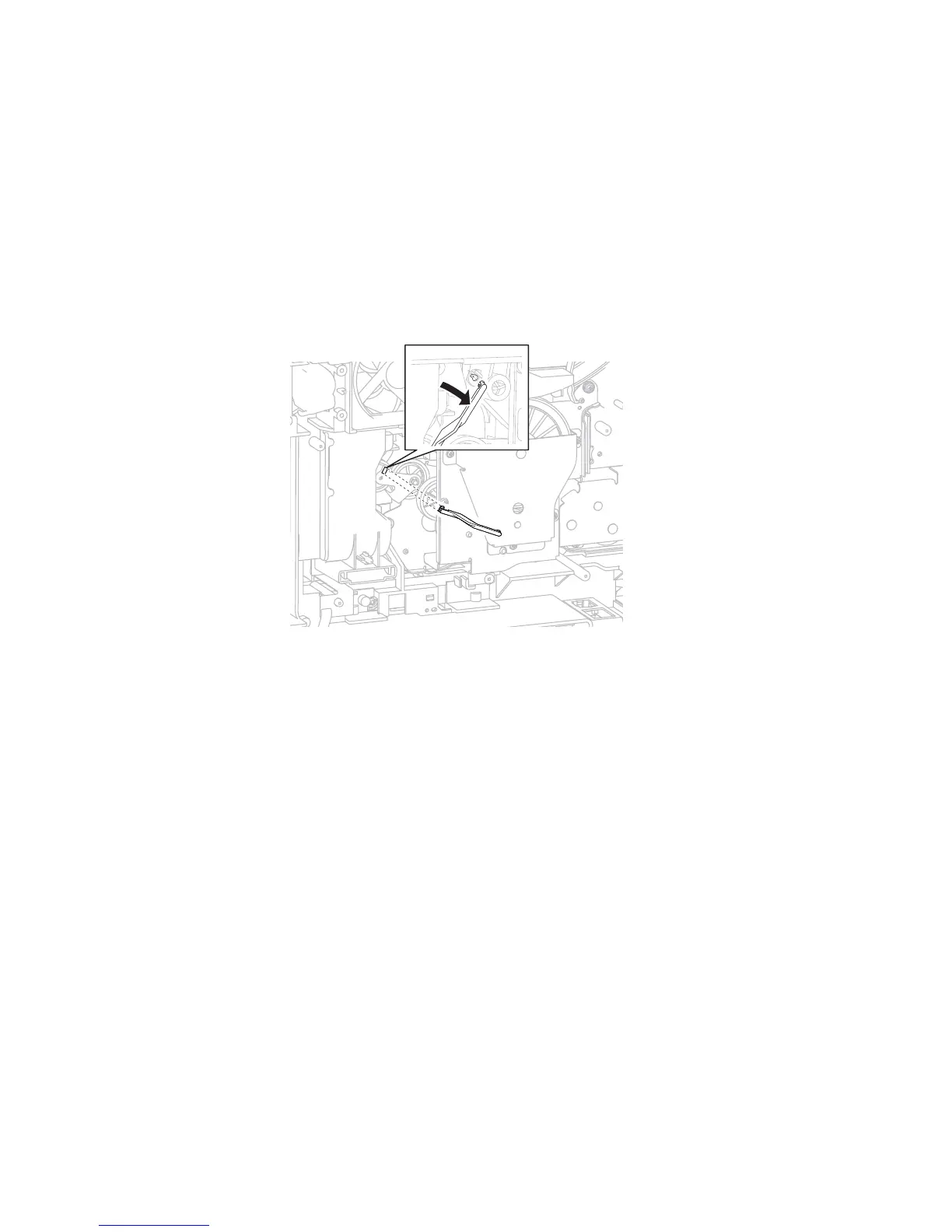
Fuser drive release linkage removal
1. Remove the system card assembly. Go to “System card assembly removal” on page 4-76.
2. Gently unsnap the upper end of the fuser drive release linkage from the machine.
3. Rotate the fuser drive release linkage 90° to release the lower end of the fuser drive release linkage from
the machine.
4. Remove the fuser drive release linkage.
Fuser unit assembly removal
1. Remove the fuser wiper cover assembly. Go to “Fuser wiper cover assembly removal” on page 4-23.
2. Remove the door assembly, rear. Go to “Door assembly, rear removal” on page 4-14.
3. Open the fuser access door.
4. Press the two buttons (A) on the fuser unit assembly to release it from the machine.















 To Next Page