Repair Information 4-43
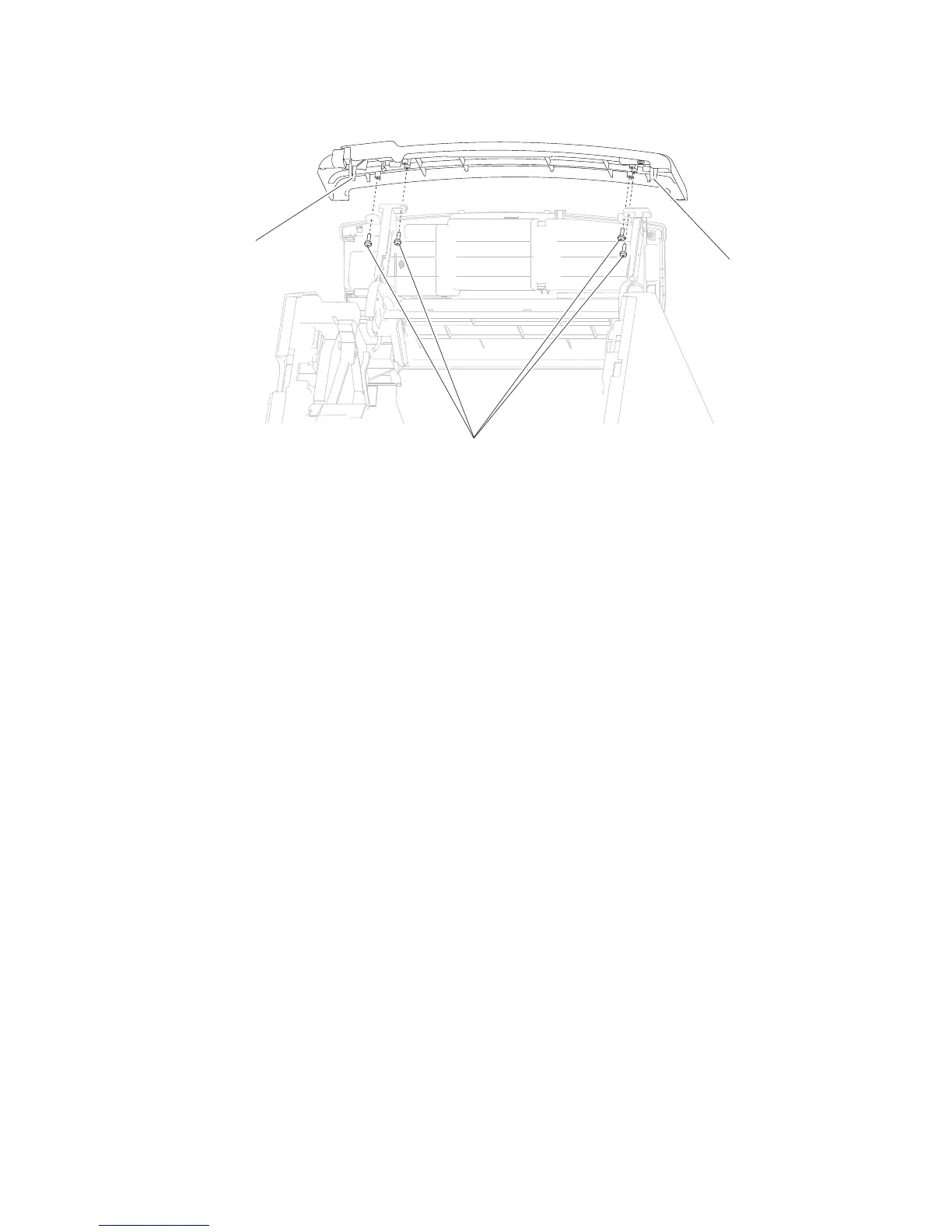
3. Release the two hooks (B).
4. Remove the operator panel latch assembly.
Warning: When replacing any of the following components:
• Operator panel assembly
• System card assembly
Only replace one component at a time. Replace the required component and perform a POR before replacing
a second component listed above. If this procedure is not followed, the printer will be rendered inoperable.
Never replace two or more of the components listed above without a POR after installing each one or the
printer will be rendered inoperable.
Never install and remove components listed above as a method of troubleshooting components. Once a
component has been installed in a machine, it can not be used in another machine. It must be returned to the
manufacturer.
2. Remove the three screws (A) securing the cover to the assembly.
Operator panel door assembly removal (5230n/dn, 5350dn, and 5530dn)
5350dn, and 5530dn)” on page 4-42.
1. Remove the operator panel latch assembly. Go to “Operator panel latch assembly removal (5230n/dn,















 To Next Page