4-10 Service Manual
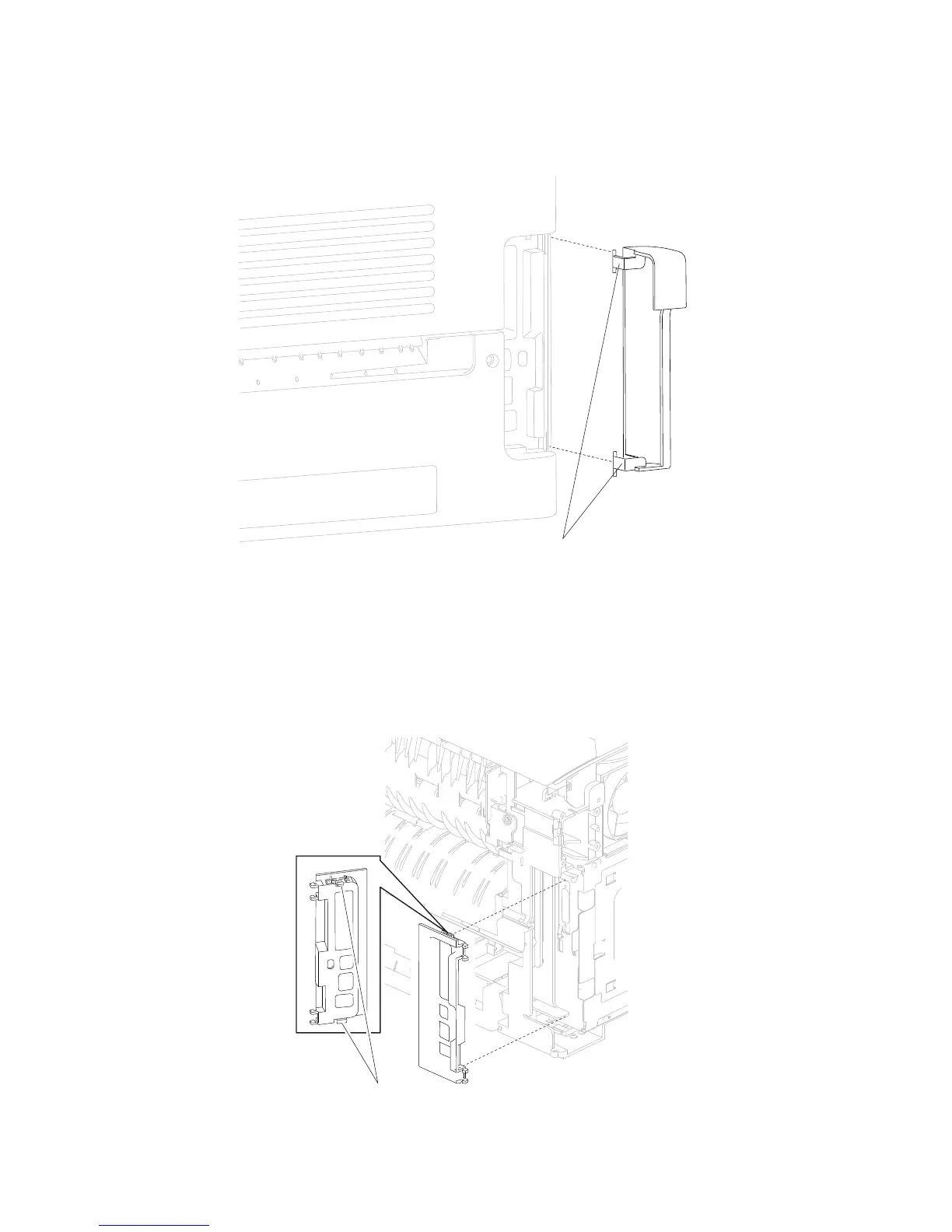
Connection access cover, rear removal
1. Gently detach the two hinges (A) of the connection access cover, rear from the machine.
2. Remove the connection access cover, rear.
1. Remove the side cover, left. Go to “MPF cam gear removal” on page 4-36.
3. Release the two hooks (A) securing the connection bezel assembly, rear to the machine.
4. Remove the connection bezel assembly, rear.
Connection bezel assembly, rear removal (5230n/dn)
on page 4-12.
2. Remove the cover assembly, rear lower. Go to “Cover assembly, rear lower removal (5230n/dn)”















 To Next Page