4-68 Service Manual
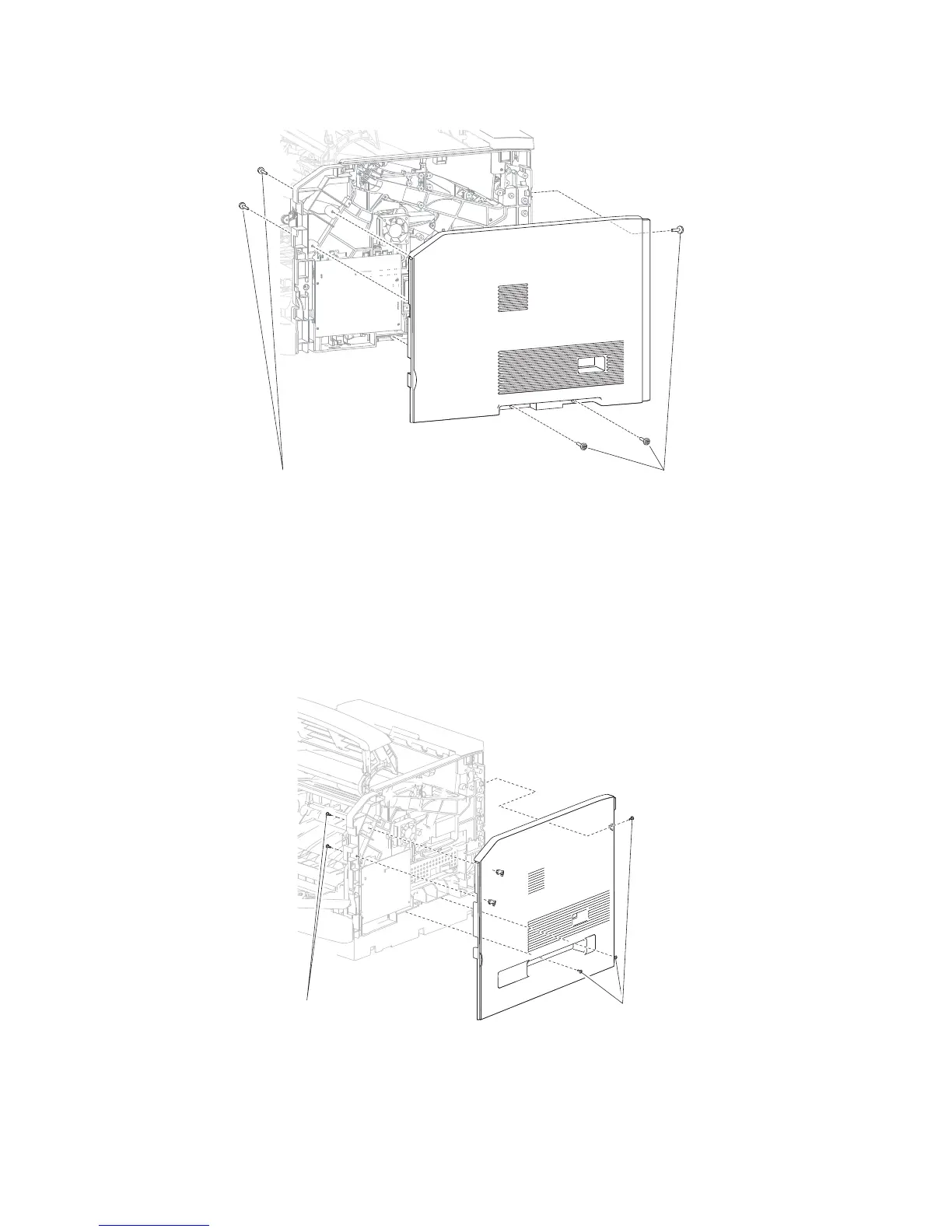
4. Remove the five screws (A) securing the side cover, right to the machine.
5. Remove the side cover, right.
1. Open the operator panel door assembly.
2. Open the MPF tray door assembly.
4. Remove the five screws (A) securing the side cover, right to the machine.
5. Remove the side cover, right.
Side cover, right removal (5350dn, 5530dn, and T656)
3. Remove the cover assembly, rear lower. Go to “Cover assembly, rear lower (5350dn and 5530dn)” on
page 4-12.















 To Next Page