4-24 Service Manual
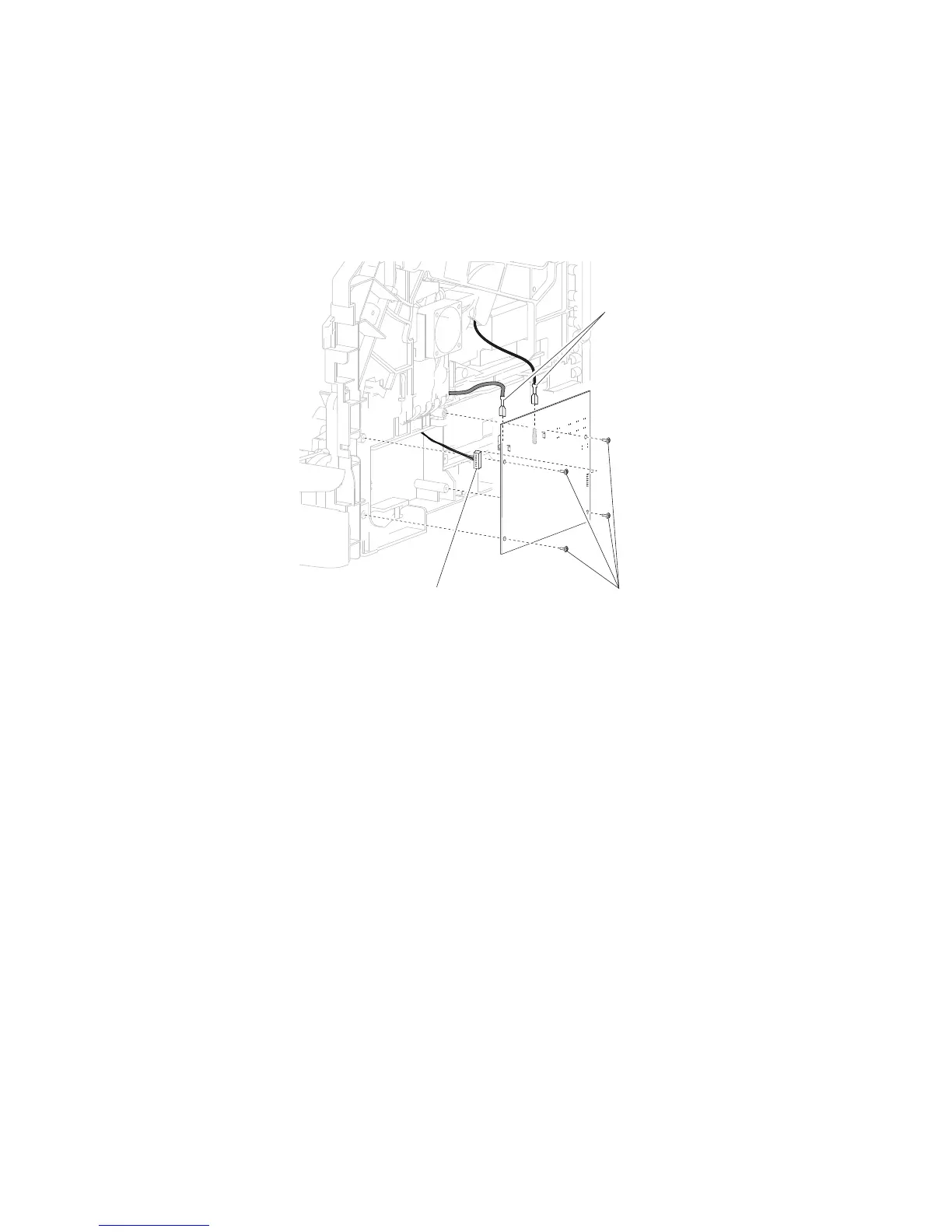
HVPS card assembly removal
2. Remove the four screws (A) securing the HVPS card assembly to the machine.
3. Remove the HVPS card assembly.
4. Remove connection (B) and the two high voltage connections (C) from the HVPS card assembly.
Replacement Warning: When replacing the HVPS card assembly, ensure that the two high voltage
connections (C) are properly replaced.
Inner deflector removal
Note: The MPF lift plate assembly can be detached and allowed to hang by the harness. The connection to
the MPF lower deflector assembly does not need to be disconnected.
1. Remove the MPF lift plate assembly. Go to “MPF lift plate assembly removal” on page 4-36.
1. Remove the side cover, right. Go to “Side cover, right removal (5230n/dn)” on page 4-67 or
“Side cover, right removal (5350dn, 5530dn, and T656)” on page 4-68.















 To Next Page