4-20 Service Manual
1. Remove the media tray.
2. Gently place the printer on its left or right side.
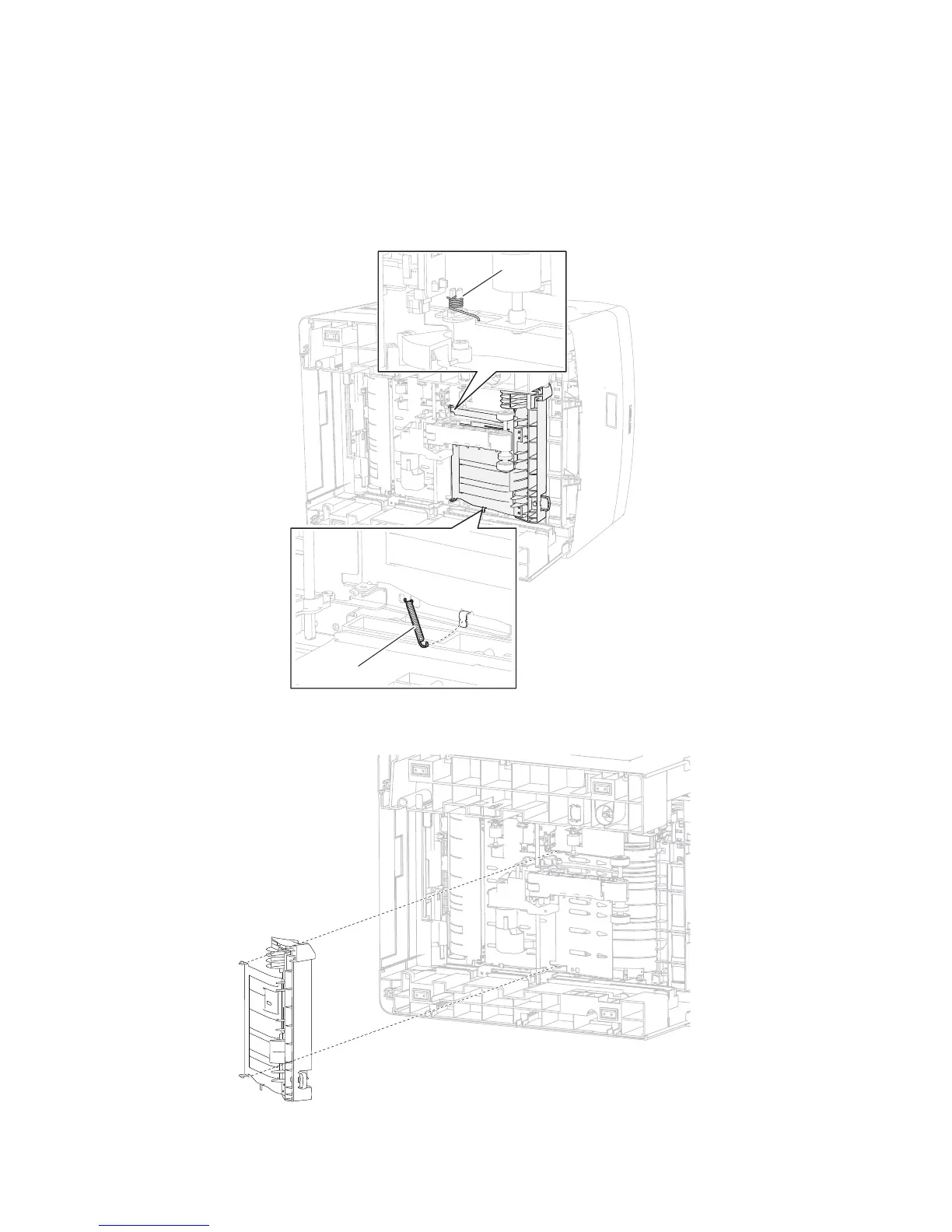
3. Detach the front left duplex guide spring (A) from the duplex guide assembly, front.
4. Detach the front right duplex guide spring (B) from the duplex guide assembly, front.
5. Fully open the duplex guide assembly, front 90°, and detach it from the machine.
6. Remove the duplex guide assembly, front.
A
B
Duplex guide assembly, front removal (5350dn, 5530dn, and T656)















 To Next Page