Repair Information 4-77
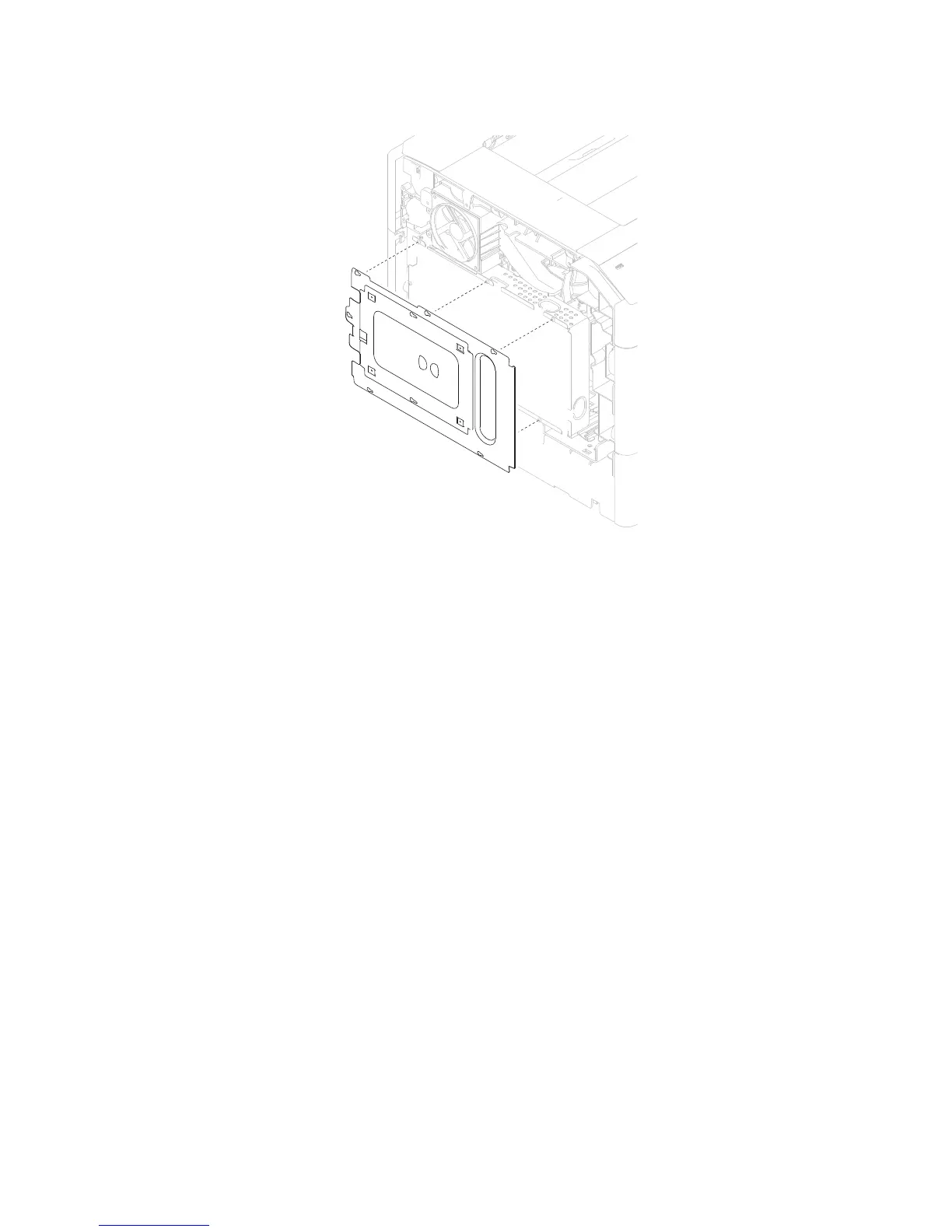
4. Remove the metal shield.
WARNING: When disconnecting all the electrical connections, ensure that the connectors and harnesses do
not become damaged.
5. Disconnect all connections from the system card assembly.
Note: There are two fine thread screws and four course thread screws securing the system card assembly to
the machine, ensure that these screws are properly reinstalled.
6. Remove the six screws (B) securing the system card assembly to the machine.




 To Next Page