9 • EG Service
Doc. 065031-04 1/08 287
4. Remove the 10-32 plugs from the INLET and OUTLET fittings on the
eluent generation chamber (see Figure 9-15
).
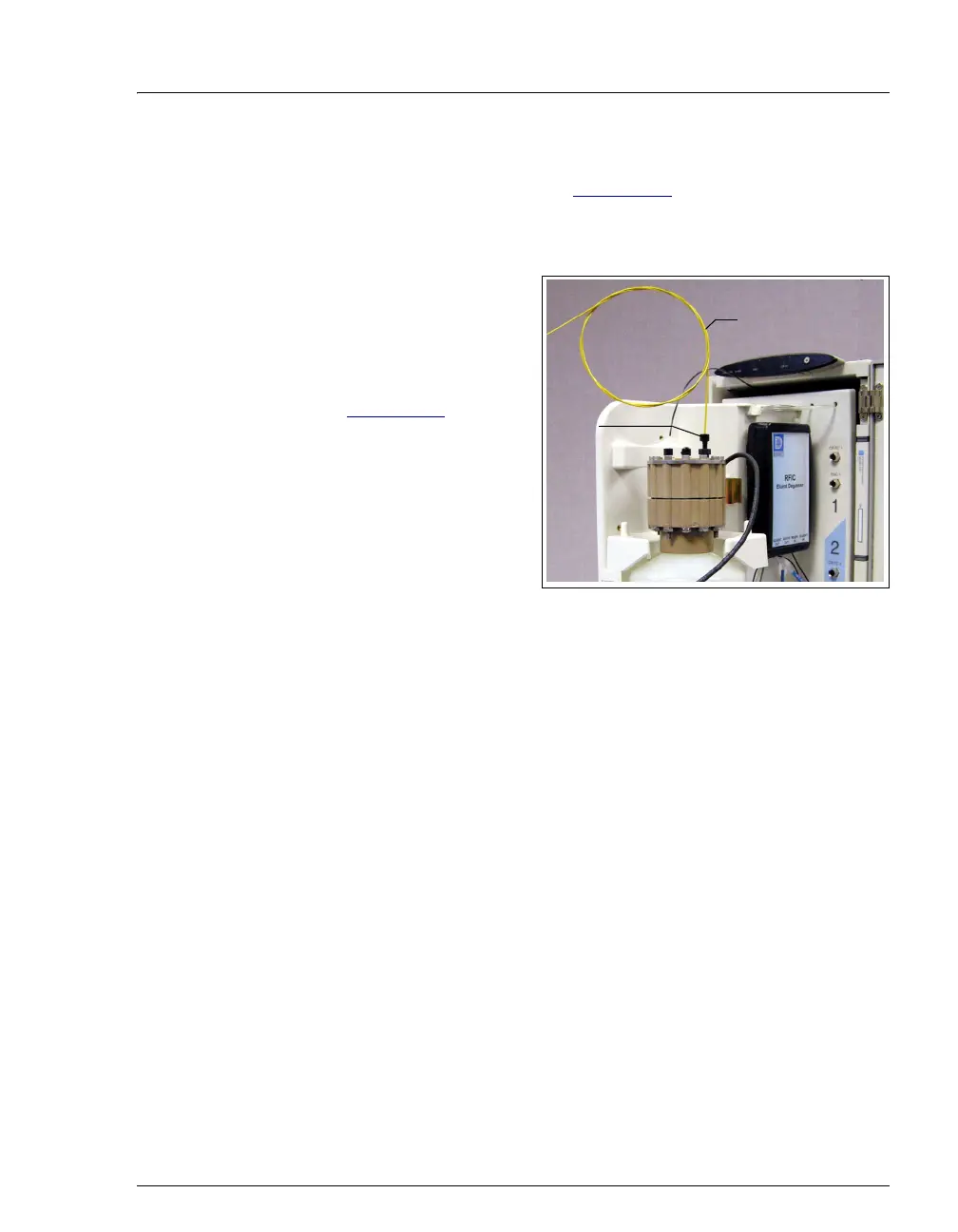
5. Locate the yellow 0.5 mL/min, 7 MPa (1000 psi) backpressure coil
(P/N 053765) in the EG Ship Kit (P/N 062453).
6. Connect one end of the
backpressure coil to the
EluGen cartridge
OUTLET
port; leave the other end
of the coil unconnected
(see Figure 9-16
).
Figure 9-16. EluGen Cartridge Outlet Connection for
Conditioning Procedure
NOTE The backpressure coil connection is temporary;
it is used only for the EluGen cartridge
conditioning procedure.
7. Connect the EGC IN line from the pump to the EluGen cartridge INLET
port.
8. While holding the EluGen cartridge right-side up (with the electrolyte
reservoir on top), shake the cartridge vigorously and tap it with the
palm of your hand 10 to 15 times. Make sure any bubbles trapped in
the eluent generation chamber are dislodged.
9. Slide the EluGen cartridge (with the electrolyte reservoir on top) into
the cartridge holder in the EG.
Backpressure
EGC
Port
Outlet
Coil



 To Next Page