Doosan Robotics User Manual v2.6.1
Using the Constraint Motion of “Surface Lock” and “Axis Lock” based on
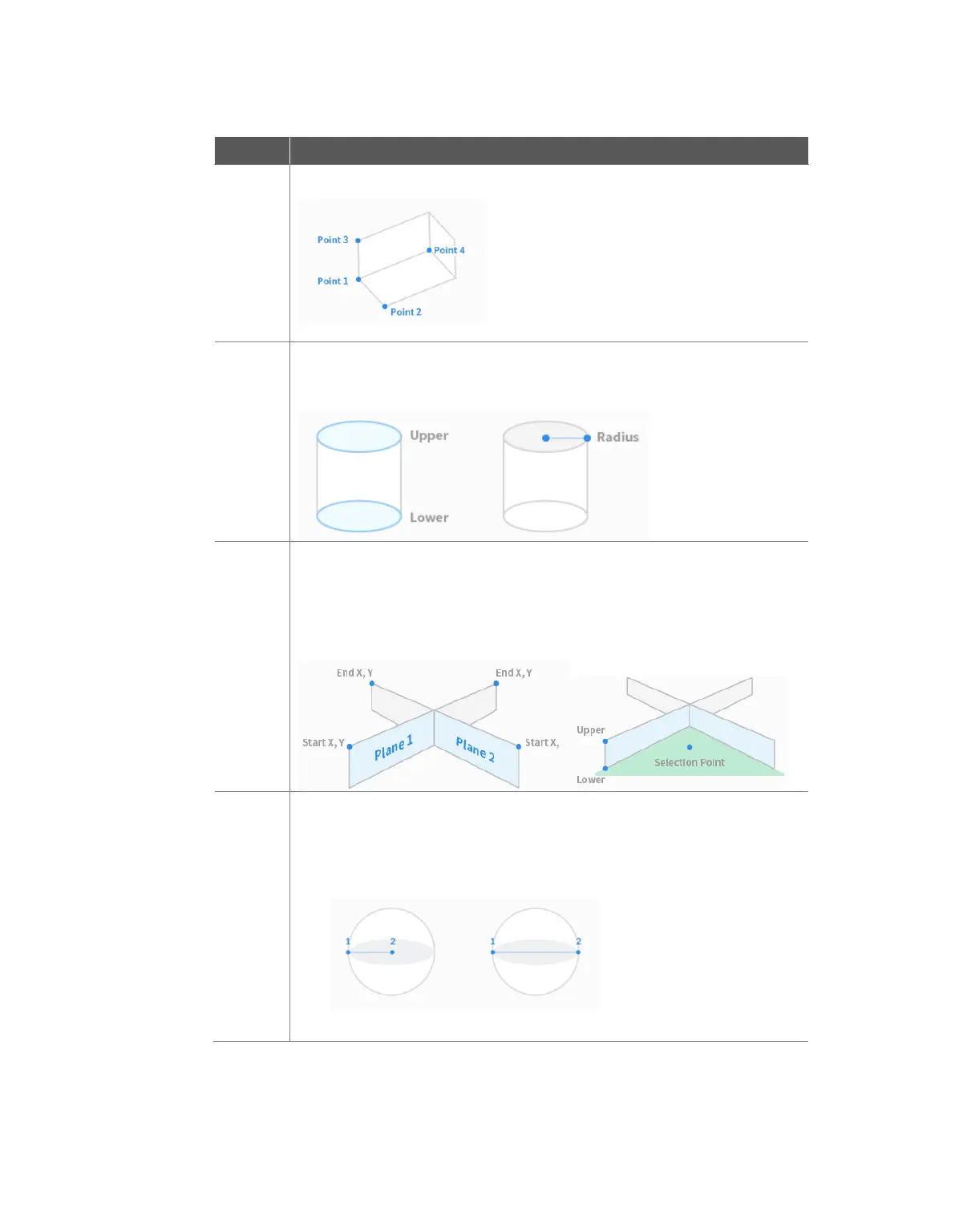
Point 1 will help the robot obtain Point 2, Point 3 and Point 4 more easily.
The shape of Space Limit / Zone is set as a cylindrical.
Enter the point at a radius distance, the point of the upper plane and the point
of the lower plane of the cylinder, and tap the Save Pose button.
The shape of Space Limit / Zone is set as a multi-plane box.
Set the height of the top and bottom of the multi-plane box and press the Add
Pose button to add a plane.
Select X and Y coordinates to set the direction of the plane and tap the Save
Pose button. Up to six planes can be configured.
Set the coordinates for the points of the area to be configured.
The shape of Space Limit / Zone is set as a sphere.
To configure the radius, enter the positions of the center point and endpoint of
the sphere, and to configure the diameter, enter two endpoints of the sphere,
then tap the Save Pose button.



 To Next Page