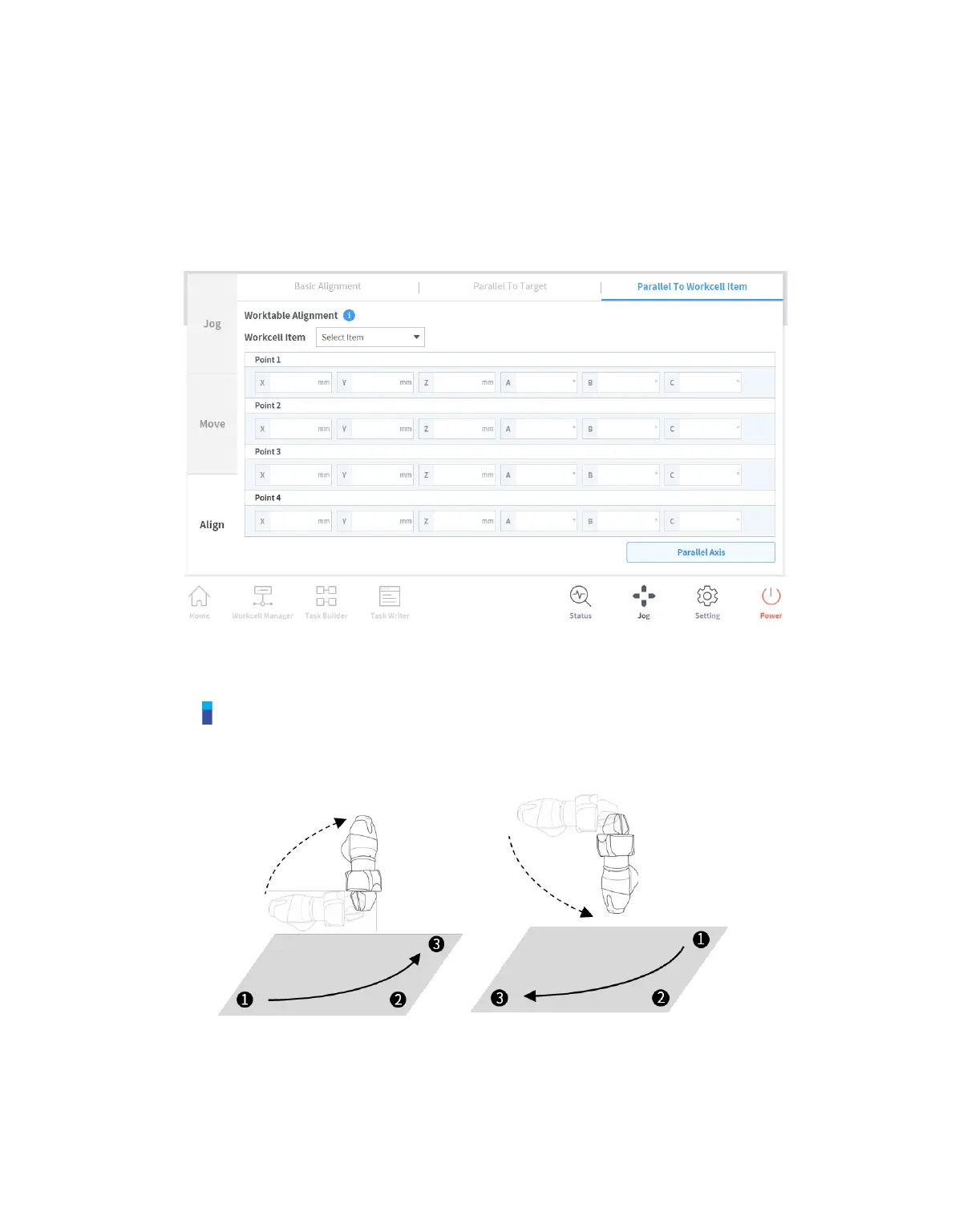
11.3.4 Alignment based on Workcell Items
Aligns the robot TCP based on the Workcell item.
1 Select the Align screen and select the Parallel To Workcell Items tab.
2 Select the desired item from the Workcell Item.
3 Tap and hold the Align Axis button to align the axis.
Note
The sorting directions for 11.3.3. Alignment based on Target and 11.3.4. Alignment based on
Workcell Items are determined according to whether the teaching sequence of three points taught
in the Workcell Item was clockwise or counter clockwise. [Refer to Figure below]



 To Next Page