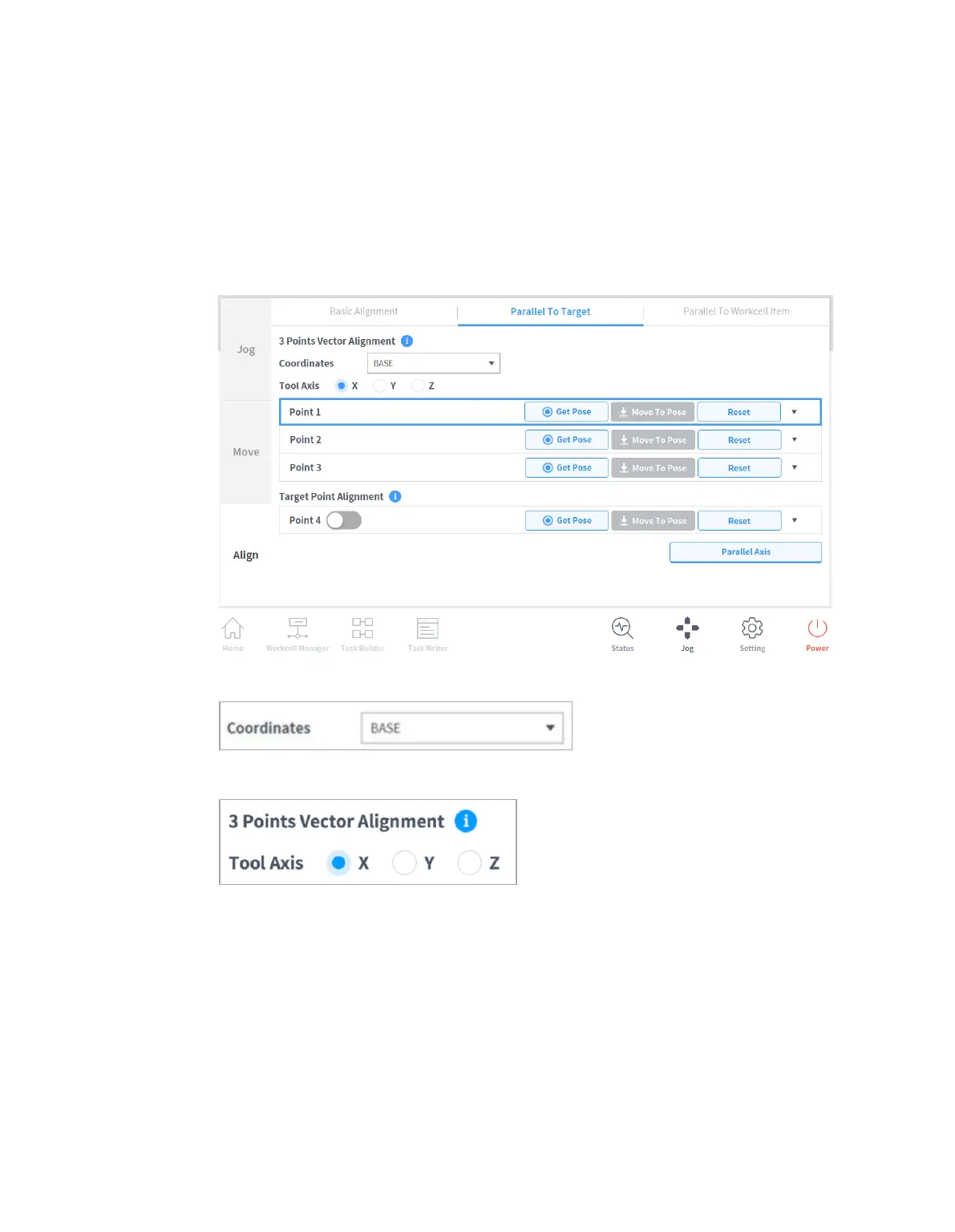
11.3.3 Alignment based on Target
This a useful function if the workpiece is aligned with the TCP in an axis direction for workpiece
teaching. To perform teaching after locking the pose, use the plane or line locked direct teaching
function with cockpit buttons.
To align the robot TCP based on target, follow these steps:
1 Select the Align tab and select Parallel To Taget tab.
2 Select the reference coordinates for alignment.
3 Select the tool axis to align.
4 Move the robot to the desired position and tap Point 1.
5 Tap the Save Pose button of Point 1.
Point 2 and Point 3 are set in the same way. When settings are complete, a virtual vector
area is set based on the three points.



 To Next Page