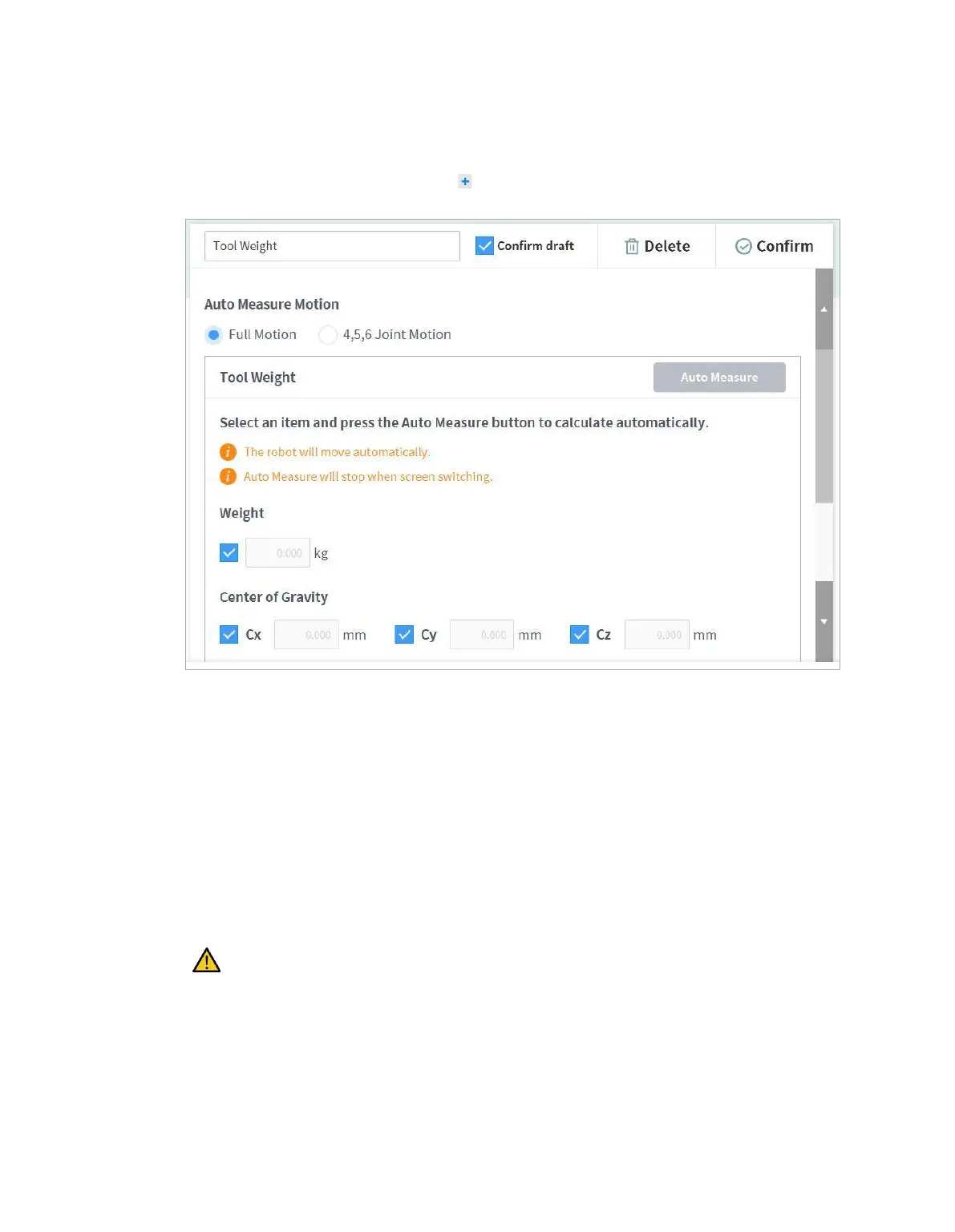
7.5.8 Tool Weight Setting
To configure the robot tool weight, tap the “Add” button on the Robot Workcell and select Robot >
Tool Weight.
Auto Tool Weight Measurement:
1 Select an Auto motion calculation method.
All Motion: All joints are used to measure tool weight.
4, 5, 6 Motion: Joints 4, 5 and 6 are used to measure tool weight.
2 Enable the checkbox of the parameter (weight, center of gravity) to estimate.
It is possible for the user to enter a known parameter value without enabling the checkbox.
If the user enters a known parameter, the values for parameters with their checkboxes
enabled calculate the weight or center of gravity according to the entered parameter value.
3 Tap the Auto Calculate button.
Warning
If the Auto Calculate checkbox for weight is disabled, enter a positive real number.
(the center of gravity can be a negative real number or 0)
Remove all obstacles before executing auto calculate.
To execute Auto Calculate of 4, 5 and 6, the 3-axis angle must be greater than +30 degrees or
less than -30 degrees.



 To Next Page