Doosan Robotics User Manual v2.6.1
10. Monitoring and Testing
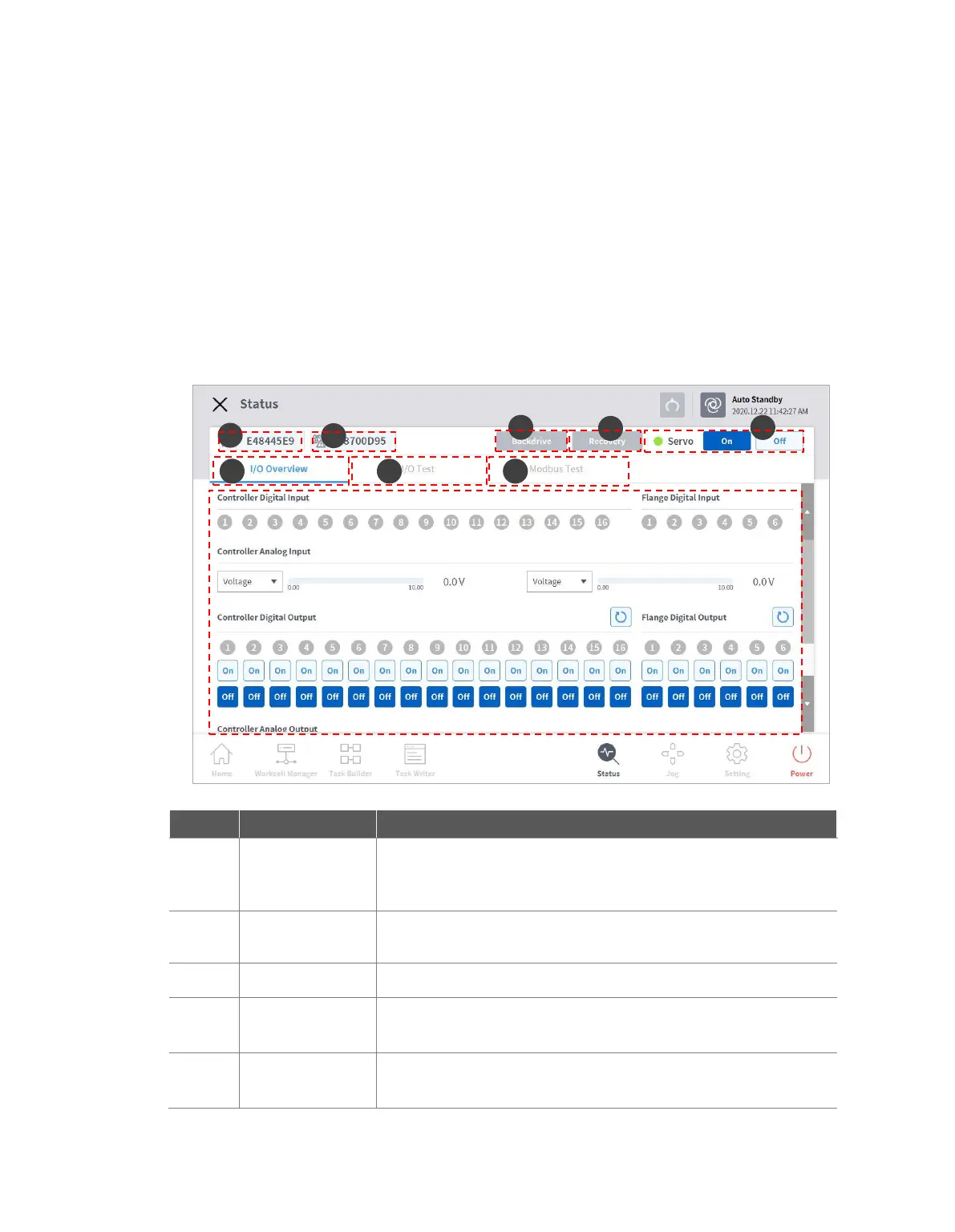
To check or test the I/O information, tap the Status button in the main menu.
The Status window allows you to check the I/O information of devices connected to the controller and
flange, and the Backdrive mode and Safety Recovery function can be executed.
The Status window is a popup window, so it is possible to tap the Status button on the Home, Task
Builder or Task Writer screen even during Auto mode to check I/O information. The output test cannot
be performed during Auto mode.
10.1 Screen Layout
If the robot is stopped due to an abnormality during operation, the
user can cut the power to each joint and move the joint to the desired
position manually to recover the normal operation status.
Sets the robot angle and position when setting the robot in software
recovery mode and packaging mode.
Supplies the driving power that moves each joint of the robot.
Manages the digital and analog I/O status of the controller and
flange.
Checks and tests the digital and analog I/O devices of the controller
and flange used by the task.



 To Next Page