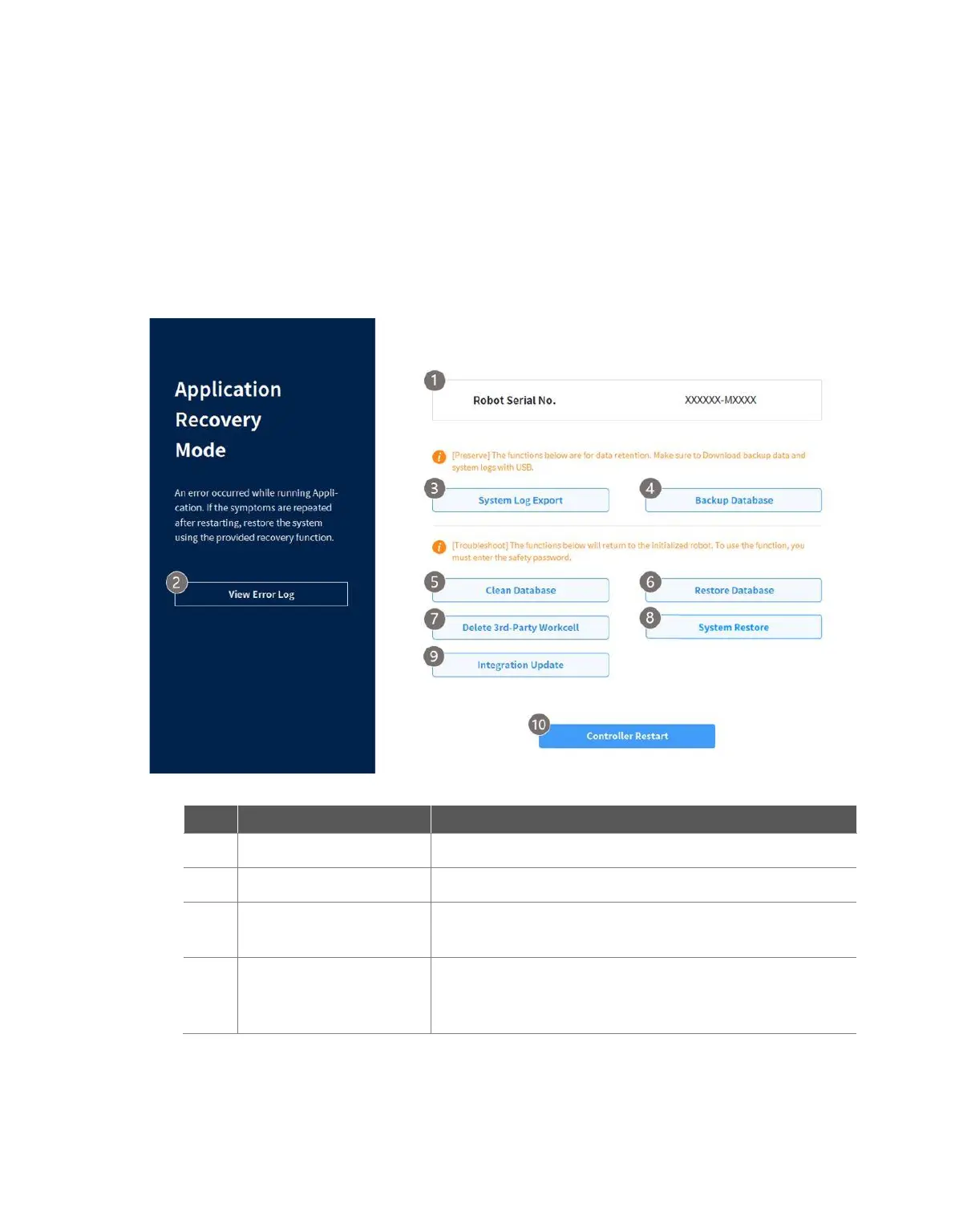
3.7 Application Recovery Mode Screen
If a software error is detected during robot booting, the system enters Application Recovery Mode. This
screen offers functions to preserve and restore application data. This screen is only available in
English.
3.7.1 Using Application Recovery Mode Functions
This displays the serial number of the connected robot.
This displays the log of errors that triggered recovery mode.
This executes a function to extract the system log. The log from
2 days prior to the present day is extracted.
This executes a function to back up the database of the
connected robot. Data backed up using this function can only
be restored with the Restore Database function on this screen.



 To Next Page