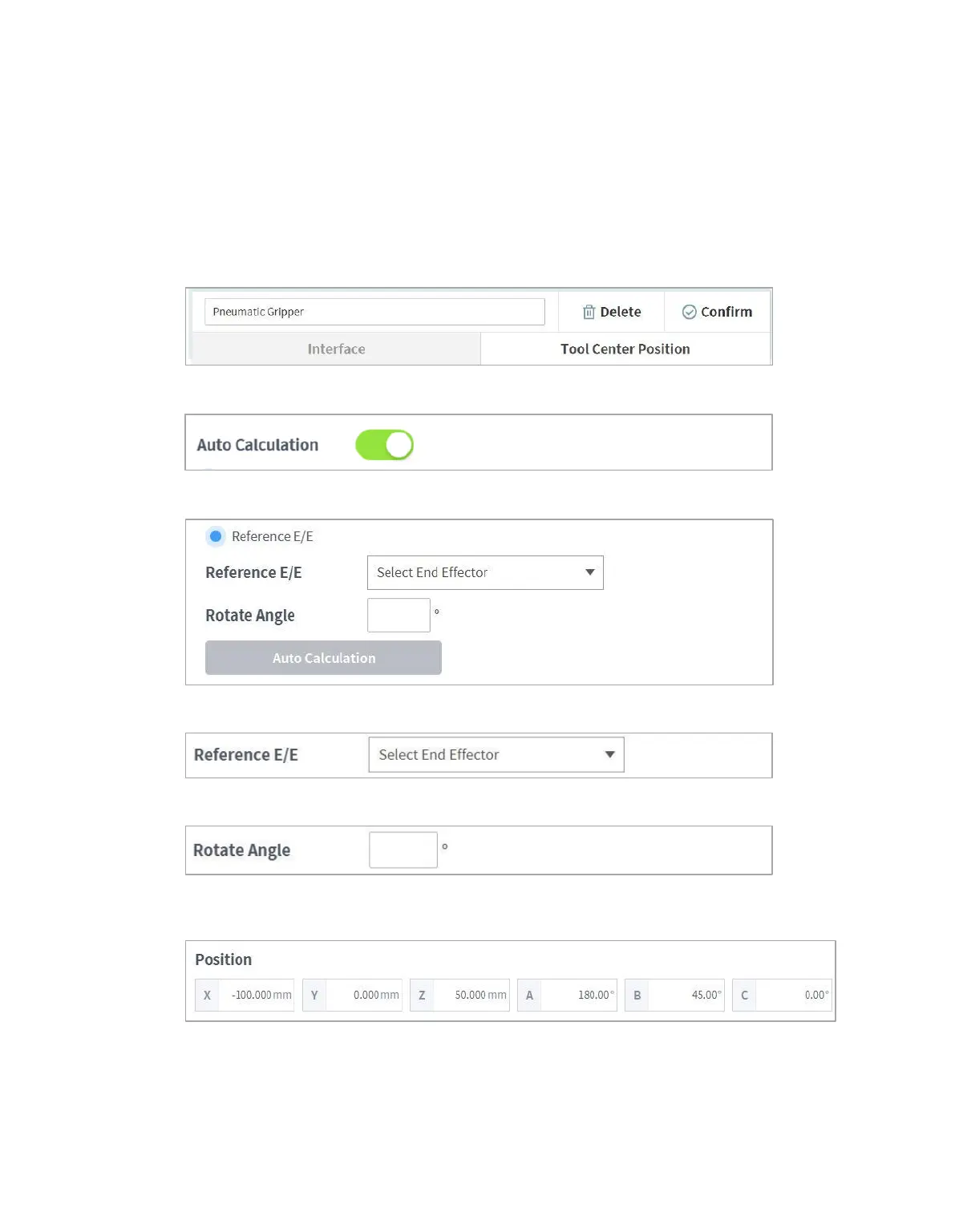
7.6.5 Tool Center Point Setting based on Other End Effectors
When using a symmetrical double gripper, the TCP of an end effector is configured based on the other
well-configured end effector. The TCP position of a new end effector can be easily configured by
rotating the pose and point on the tool coordinate at the base end effector TCP point on the Z axis by
the angle entered.
1 Select the Tool Center Point tab on the end effector setting screen.
2 Tap the Auto Calculate toggle switch.
3 Select the Reference End Effector item.
4 Select the end effector to copy.
5 Configure the tool Z-axis rotate angle of the configuring end effector and reference end effector.
6 Click the Auto Calculate button on the bottom, check whether the calculated TCP is
automatically entered and tap the Confirm button.



 To Next Page