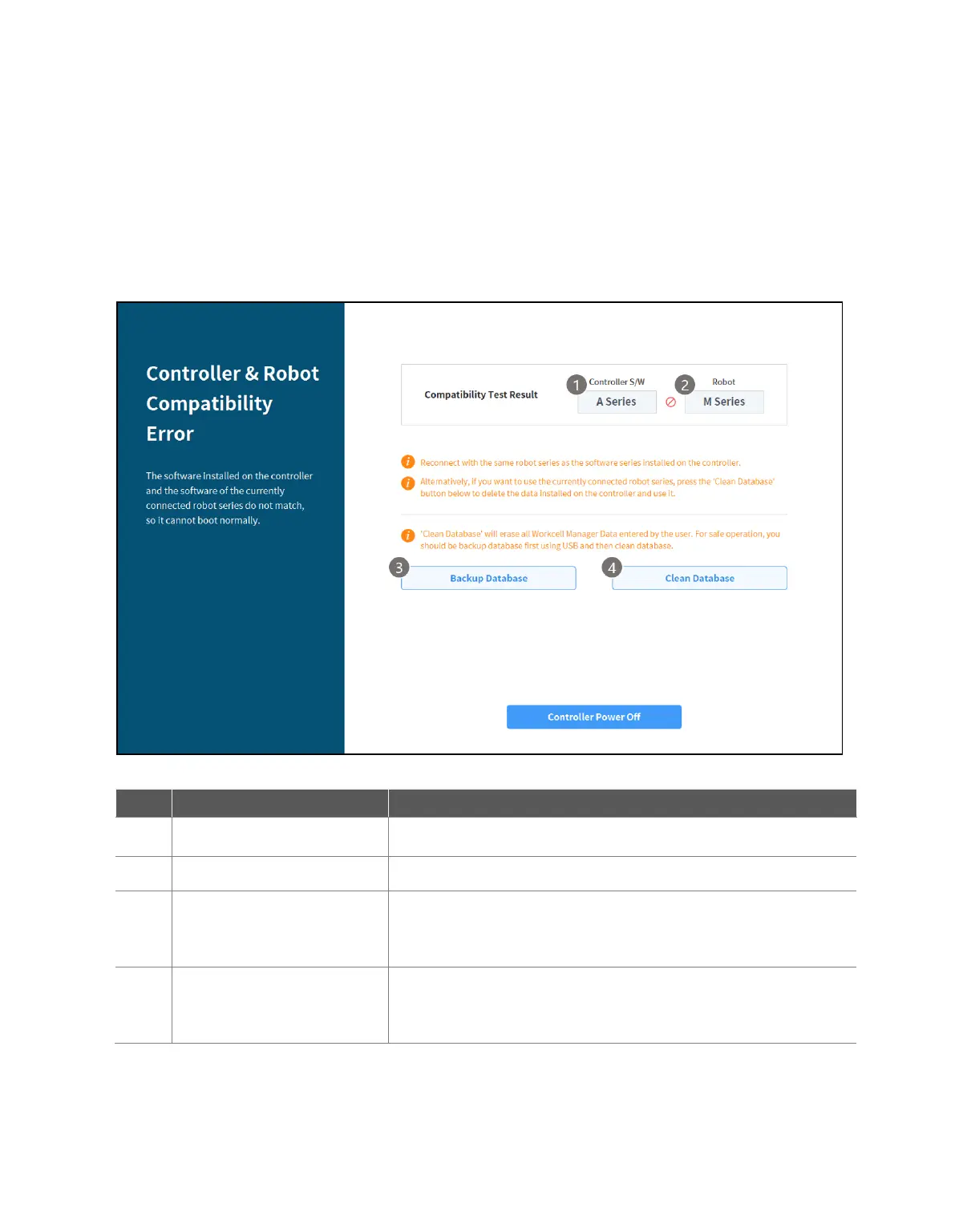
3.8 Series Compatibility Error Screen
The controller stores the execution information of the connected robot. This information varies
depending on the robot series, so if a robot of a different series is connected, the series compatibility
error screen will be displayed. This screen provides the options of saving the current execution
information or resetting the data. This screen is only available in English.
3.8.1 Series Compatibility Error Screen Functions
This displays the robot series information for the execution data saved in
the controller.
This displays information on the newly connected robot series.
This executes a function to back up the database of the connected
controller. The backup file can be used to restore data through “12.15
Backup & Restore.”
This executes a function to reset the database of the connected
controller. To connect a robot of a seriesdifferent from the current
controller information, a reset must be executed.



 To Next Page