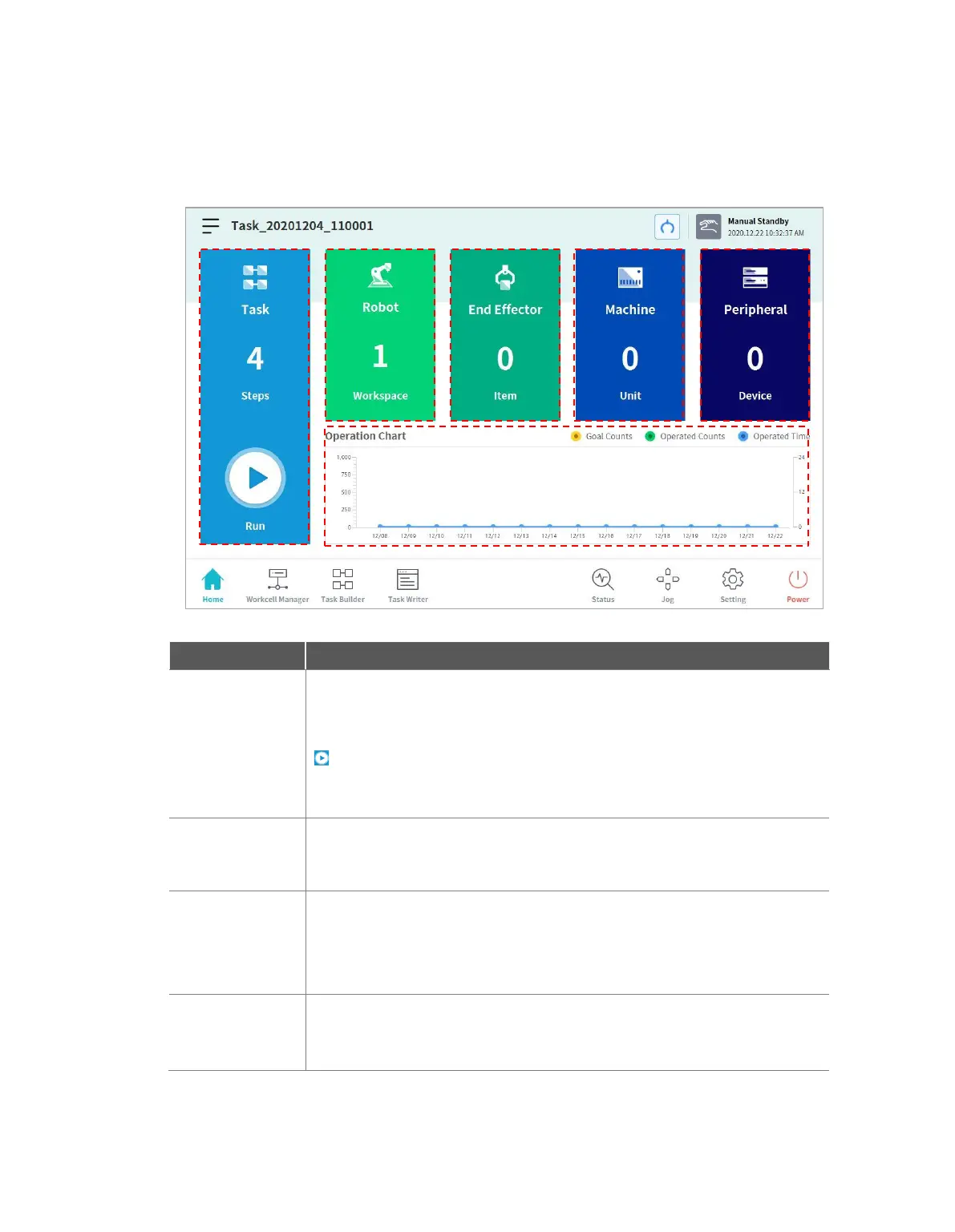
6. Home Screen Overview
Information about the current task status and task, and work progress graphs are displayed.
The total number of lines of the task program is displayed.
Tapping the number indicating the program line will go to Task Builder or Task
Writer.
Tapping the Execute button will go to a screen showing the opened task.
For more information about the task execution screen, refer to “6.1 Task
Execution and Stopping”.
Displays the number of settings of the robot work space. Tap this item to go to
the robot item setting screen of the Workcell Manager. For more information
about the robot, refer to “7.5 Robot Setting”.
Displays the number of end effectors connected to the robot. Tap this item to
go to the end effector setting screen of Workcell Manager. For more
information about end effectors, refer to “7.5.11
Displays the number of machines used in the task. Tap this item to go to the
machine setting screen of Workcell Manager. For more information about the
robot, refer to “7.7 Machine Tool Setting”.



 To Next Page