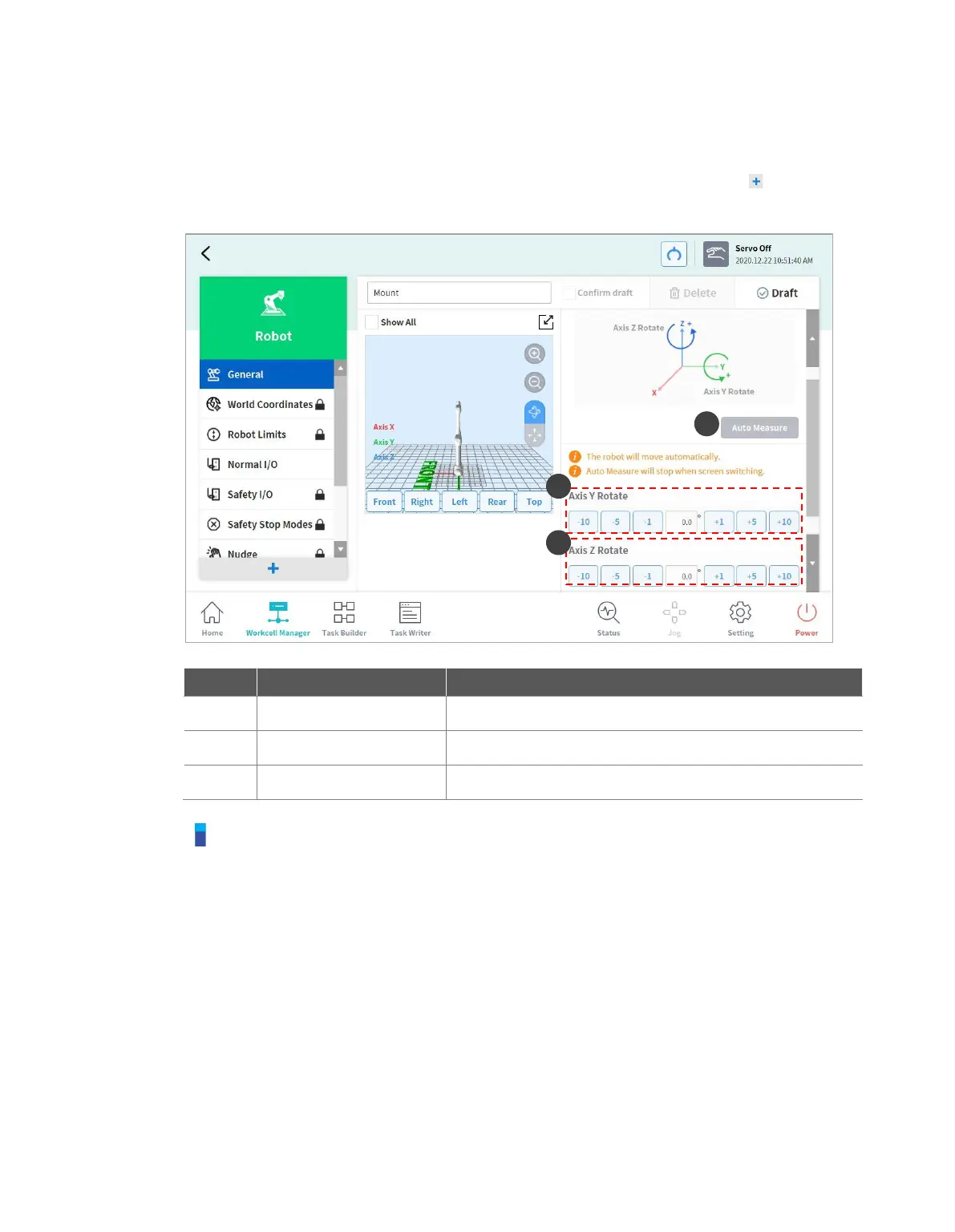
7.5.6 Robot Installation Pose Setting
The robot can be installed at any angle. To configure the robot installation pose, tap the “Add”
button on the Robot Workcell and select Robot > Robot Installation Pose. The robot installation
pose can be entered manually or calculated automatically.
Note
Tap the Auto Calculate button to calculate the inclination value automatically. The installation
pose Auto Calculate function can be used when the robot base is inclined from the ground by
more than 5 degrees. The Auto Calculate function for robot installation pose allows easy
configuration of the installation pose required by direct teaching, force control and compliance
control functions without entering accurate installation angle values, but the absolute position
accuracy of the automatically calculated robot pose setting may be lower than that of accurately
measured values.



 To Next Page