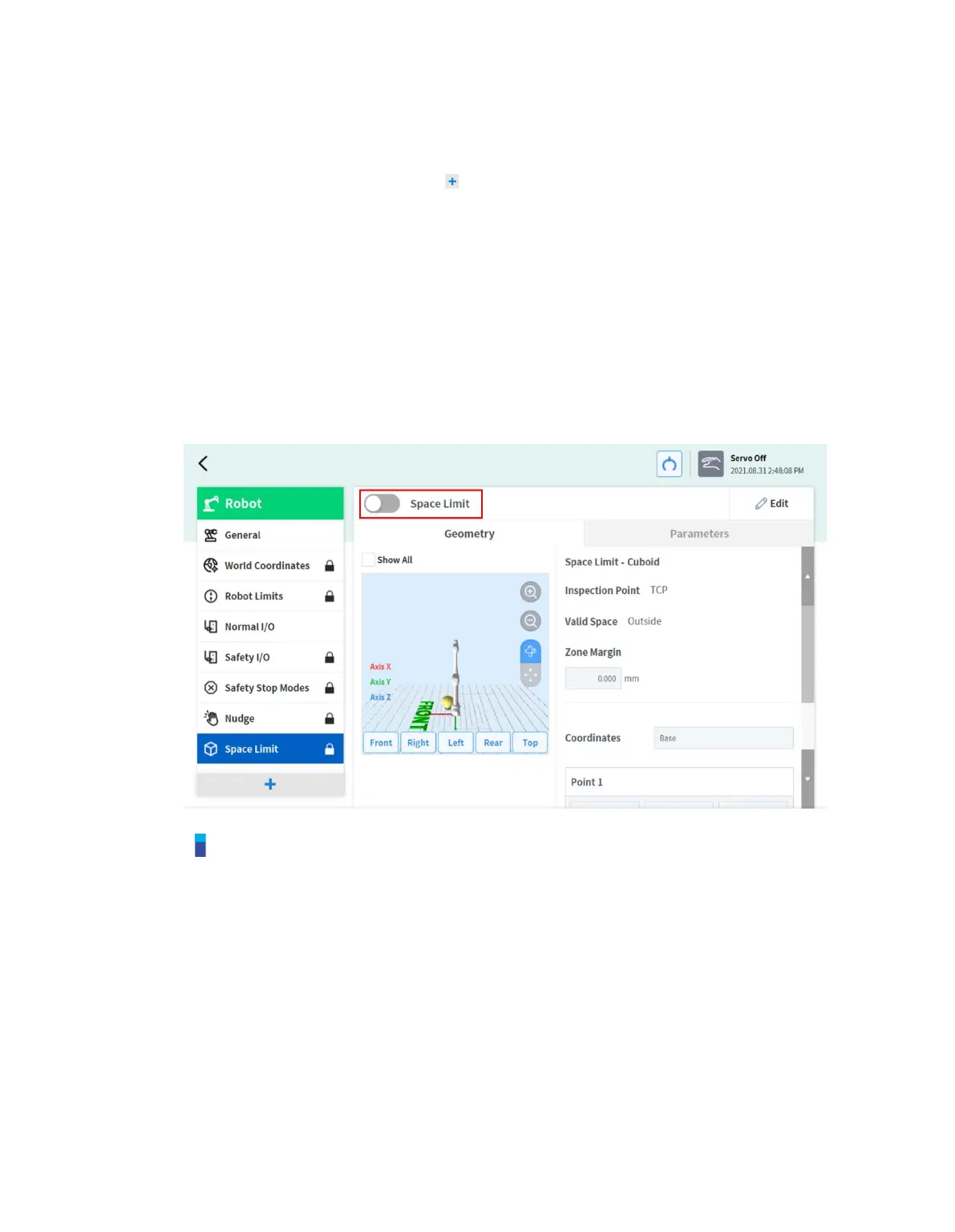
7.5.12 Space Limit Settings
To set space limits for the robot, tap the Add button on the Robot Workcell and select Space
Limit>Cube, Cylinder, Multi-plane Box, Sphere or Tilted Cuboid. The safety password is required
during setup and activation.
1 Enter the Workcell Name in the Workcell Name field on the top of the Workcell Setting screen.
2 Set the pose information according to the Space Limit shape along with the Inspection Point,
Valid Space and Zone Margin in the Geometry tab.
3 Set the Dynamic Zone Enable and Advanced Options in the Parameters tab, and press Draft.
4 Verify that all parameters displayed are the same as what are Intended to be set, then check
Confirm draft and press Confirm
5 Press the Activate Toggle button to apply the Space Limit.
Note
There are Zone Margin defaults depending on the setting methods.
If the tool shape is set and Body volume check is not selected, TCP margin is 0 mm.
If the tool shape is set and Body volume check is selected, TCP margin is 0 mm.
If the tool shape is not set and Body volume check is not selected, TCP margin is 0 mm.
If the tool shape is not set and Body volume check is selected, TCP margin is 60 mm.



 To Next Page