7.5.2 Robot Limits Setting
It sets the safety limits of safety monitoring functions.
Note
The limit and initial safety settings may vary according to the robot lineup.
Safety limits is the condition where the safety-rated monitoring function triggers the stop
function. When stop is completed, the position of the robot and force applied externally may
differ from the configured safety threshold.
TCP/Robot Limits
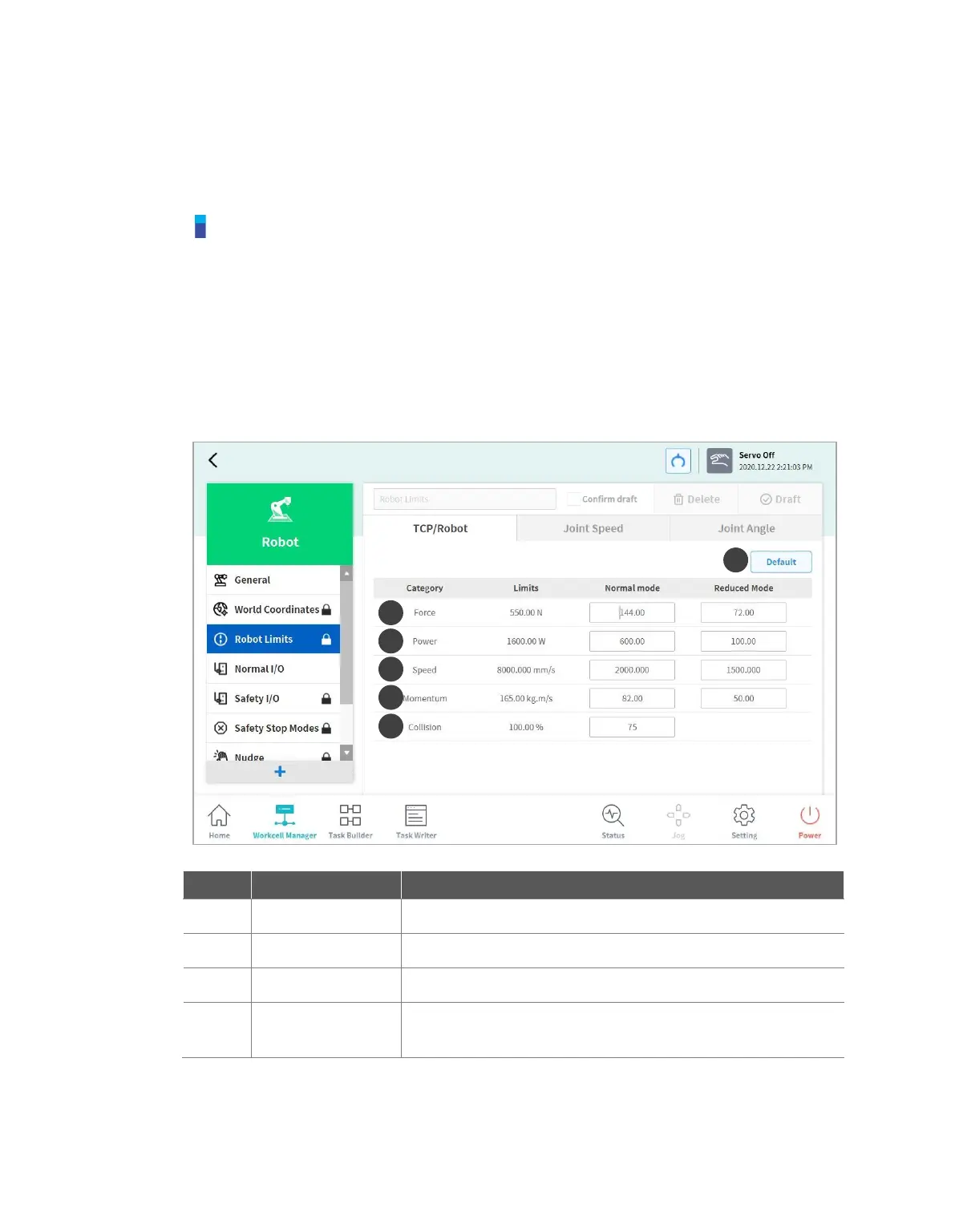
To set the TCP/Robot Limits, go to the Robot Workcell and select Robot > Robot Limits >
TCP/Robot. The TCP/Robot Limits setting screen layout is composed as follows:



 To Next Page