8.7 Skill Command Property Setting
8.7.1 Understanding Basic Principles of Skill Commands
Skill commands are based on a few operation patterns.
For a robot to begin operation, the weight and tool center point (TCP) of the tool equipped on the robot
must be configured, and the basic operational pattern of the skill commands must have an approach
pose and retract pose that are perpendicular to the reference pose.
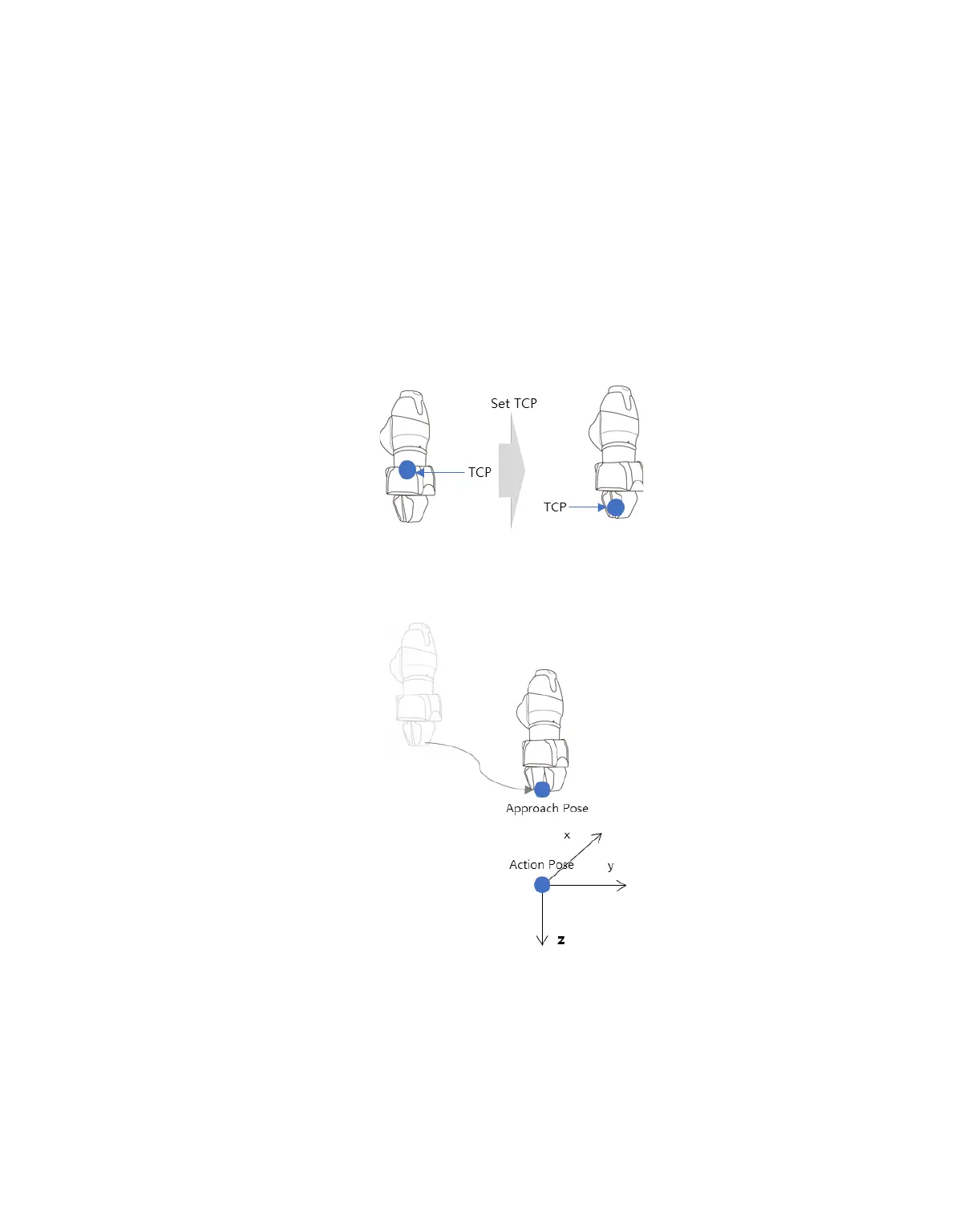
TCP Setting: Using an End Effector skill command will automatically change the TCP offset setting.
The End Effector skill command execution stage includes an offset setting suited for the TCP of the
End Effector. If the TCP offset changes, the Blending Motion function, which smoothly connects the
previous motion command, cannot be used.
Move to Approach Pose: This is a point available to move to the Approach Pose. It is set in the Z
direction from the Approach Pose, and a different direction can also be selected. The Approach
Distance entered is automatically calculated for the Action Pose and moves to the corresponding point.



 To Next Page