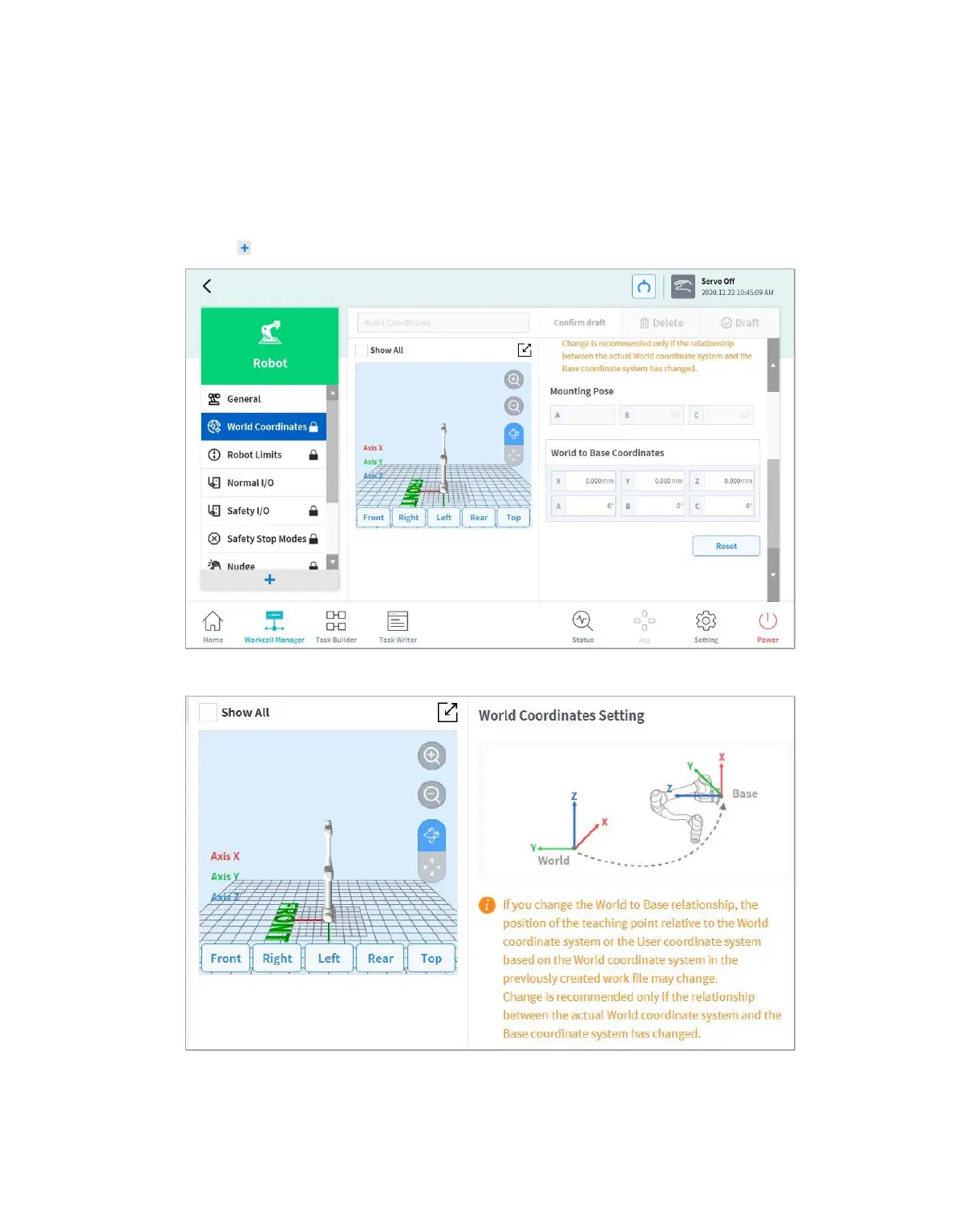
7.5.1 World Coordinates Setting
A coordinate system representing the robot and workpiece can be set. This coordinate system is called
World Coordinates, and it is different from Base Coordinates, which are fixed to the base. It is possible
to set the pose of Base Coordinates using World Coordinates, and World Coordinates can be selected
when teaching and moving using the robot in Task Builder and Task Writer. To set World Coordinates,
tap the Add button on the Robot Workcell and select Robot > World Coordinates.
1 Tap the Edit button at the top.



 To Next Page