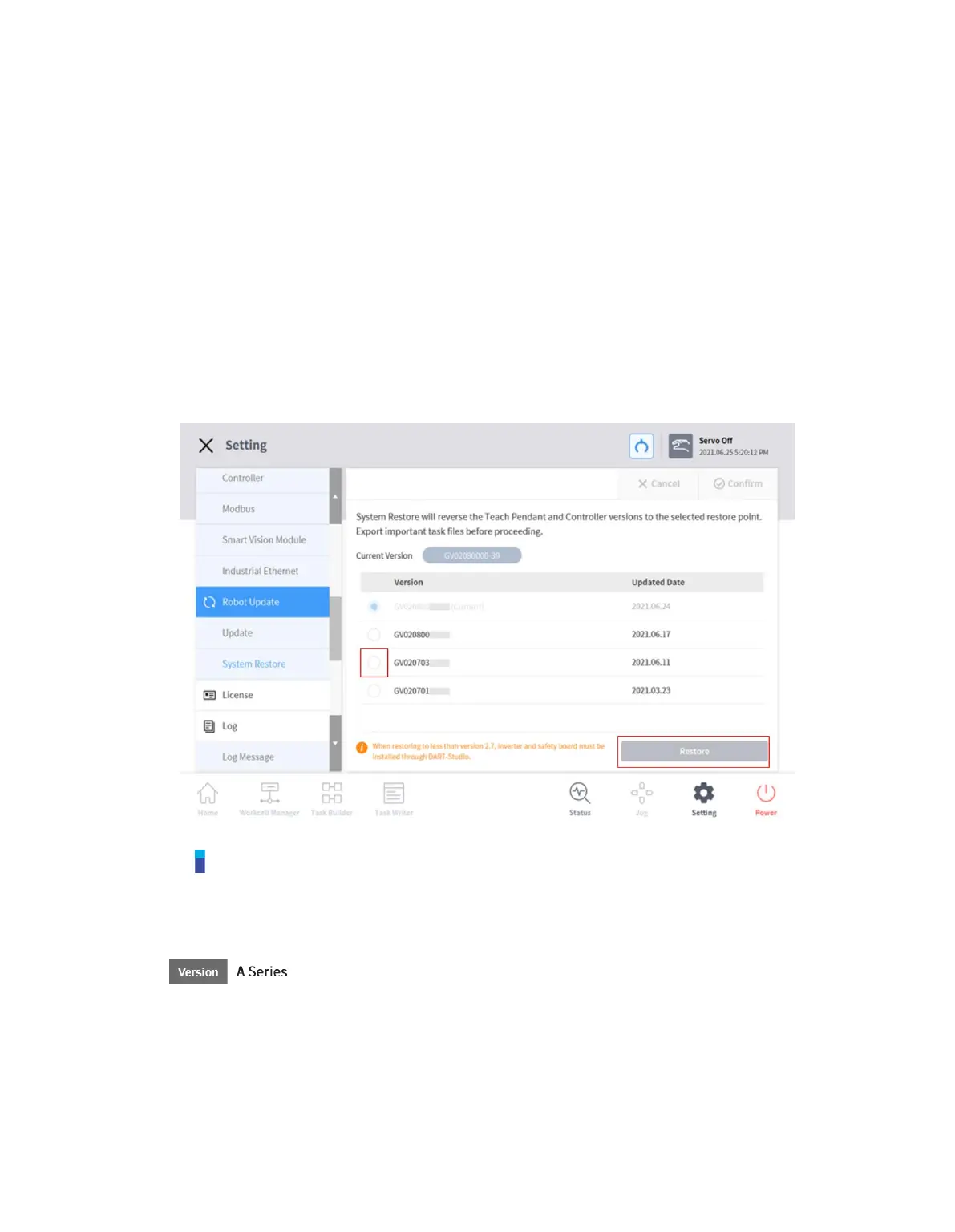
12.7.2 System Restore
Restores the robot system to a specific version the user chooses.
1 Select Robot Update > System Restore in the Setting menu.
The last five versions installed on the robot system are displayed.
The current version is displayed with the Radio button selected.
2 Select the Radio button of the version to be restored.
The Restore button is enabled.
3 Press the Restore button.
4 Restart the system when restore is complete.
Note
If the system is accessed via Windows, the system restore function is not available.
If one of the following issues occurs on an A Series product after System Restore, please refer
to "12.13 Friction Calibration" to perform friction calibration.
1. If an issue makes direct teaching control difficult



 To Next Page