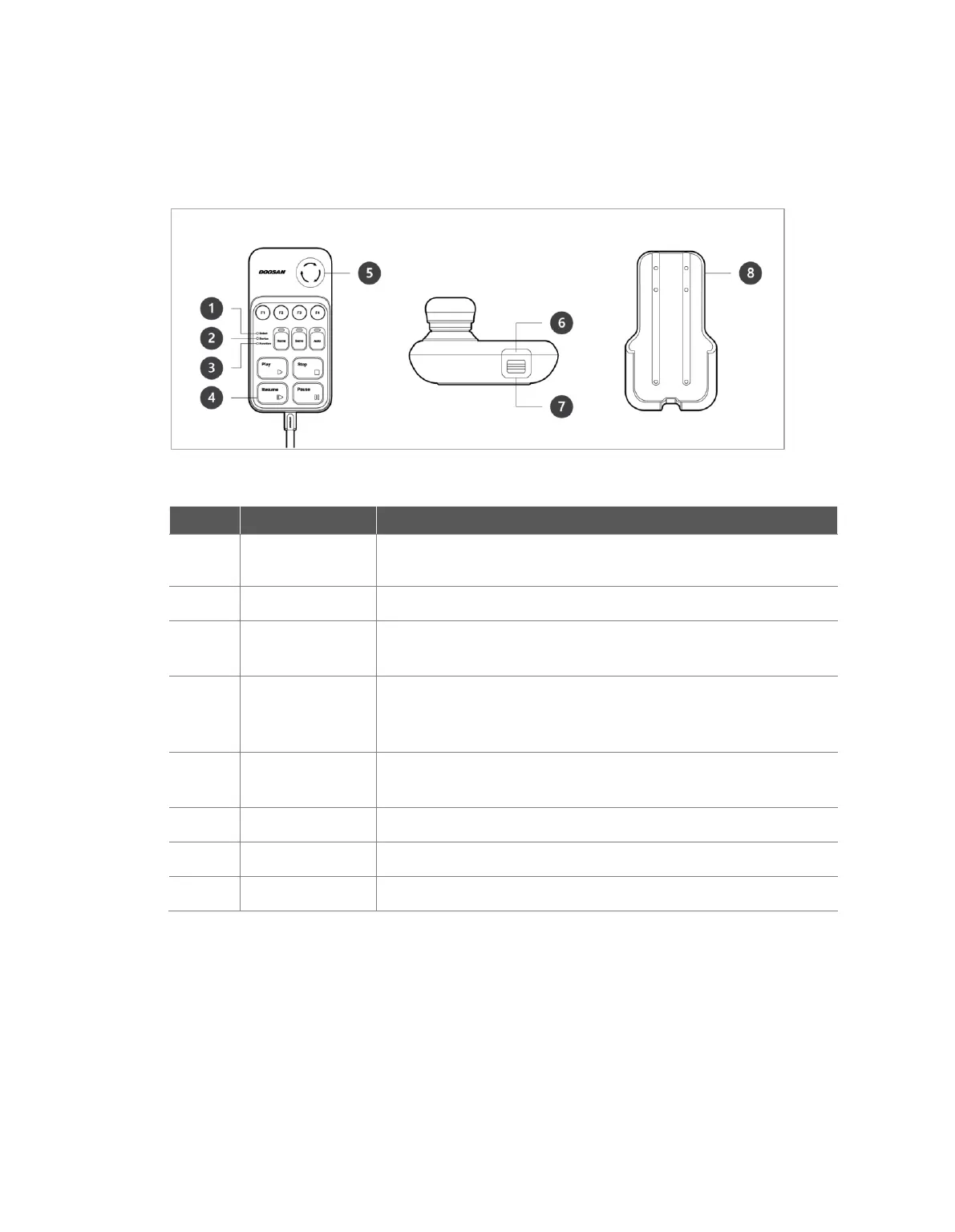
1.4 Smart Pendant (A-Series)
Used to indicate the robot status by displaying the same color as the
robot status LED to the user.
Used to indicate whether the system entered smart pendant mode.
When four input signal buttons (F1 to F4) are pressed, the LED lights
up and indicates the press status
There are a total of 11 buttons including four input signal buttons (F1-
F4) for each function, home, servo, auto, play, stop, resume and
pause.
In case of an emergency, press the button to stop robot operation.
Used to turn ON/OFF the main power of the smart pendant.
Used to add a strap to the device.
Install the holder bracket on a wall to store the smart pendant.
※ The smart pendant is not a standard item but an optional item, so it must be purchased separately



 To Next Page