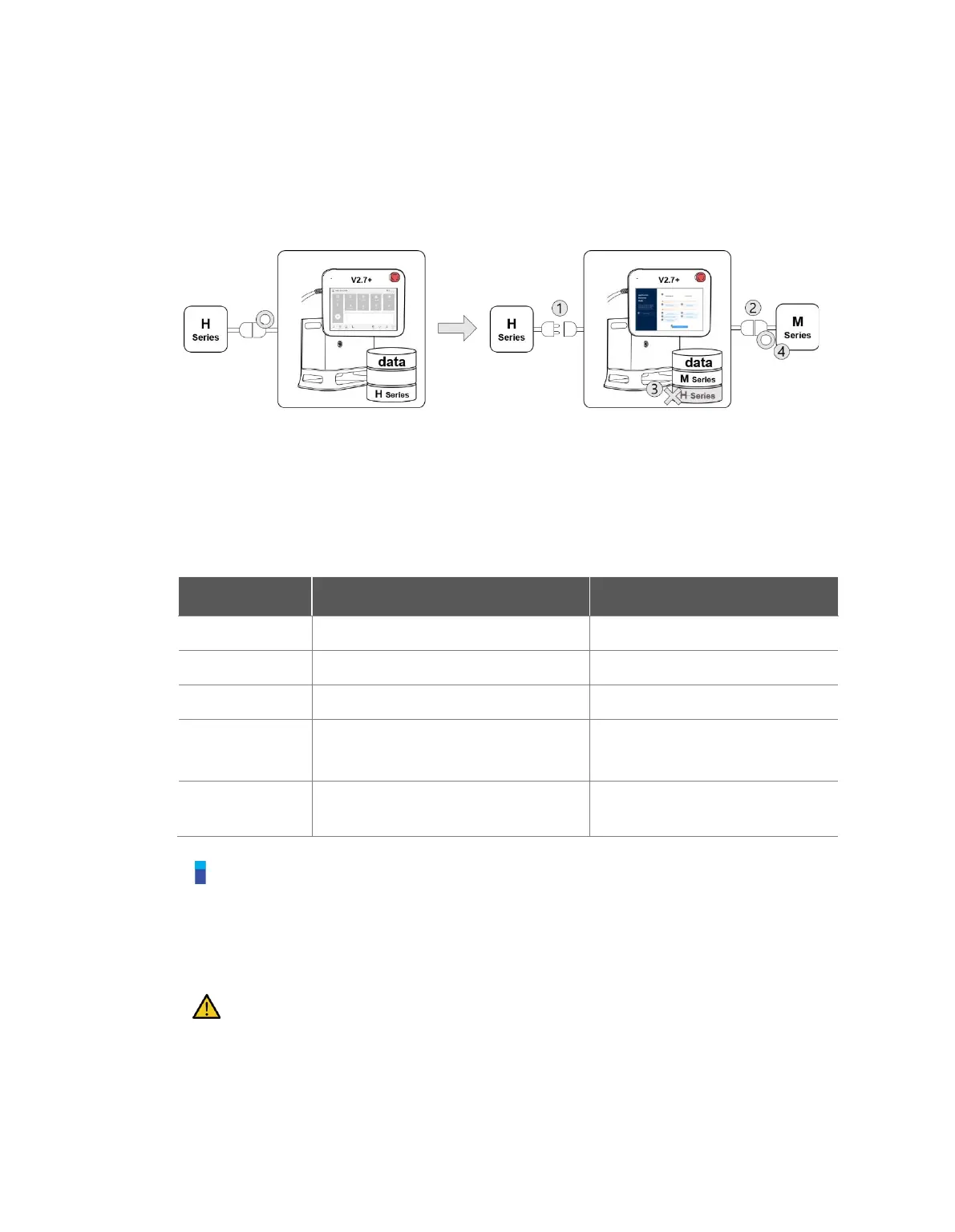
3.8.2 Robot Series Swap
To use a robot from a different series, data back up and initialization must be executed according to
the on-screen instructions. Controller software versions higher than V2.7 support all robot series (M,
H, and A series). However, a single controller cannot be used with an M, H and A series robot
combination.
For example, if a controller with a software version higher than V2.7 is being used with an H series
robot, disconnecting the existing robot and connecting an M series robot will cause a compatibility
error screen to be displayed. Follow the on-screen instructions to execute data backup and
initialization of H series, then turn the controller power off and on to allow an M series robot to be
connected. Compatibility of each software version is as follows:
Series Compatibility of each Software Version
Note
A/M/H series have different connector structures for robot and controller connection, so the
robot series cannot be swapped with each other.
The compatibility error screen is not displayed if a different robot of the same series is
connected.
Caution
Take caution after swapping to a different model of the same series, as Safety Parameters,
TCP, Tool Weight and various user defined settings are maintained.
Robot series compatibility may vary depending on the software version.



 To Next Page