3.3.2 Disengaging Packaging Pose
The robot is in its packaging pose to allow easy transportation or packaging. To use the robot, it is
necessary to disengage the packaging pose.
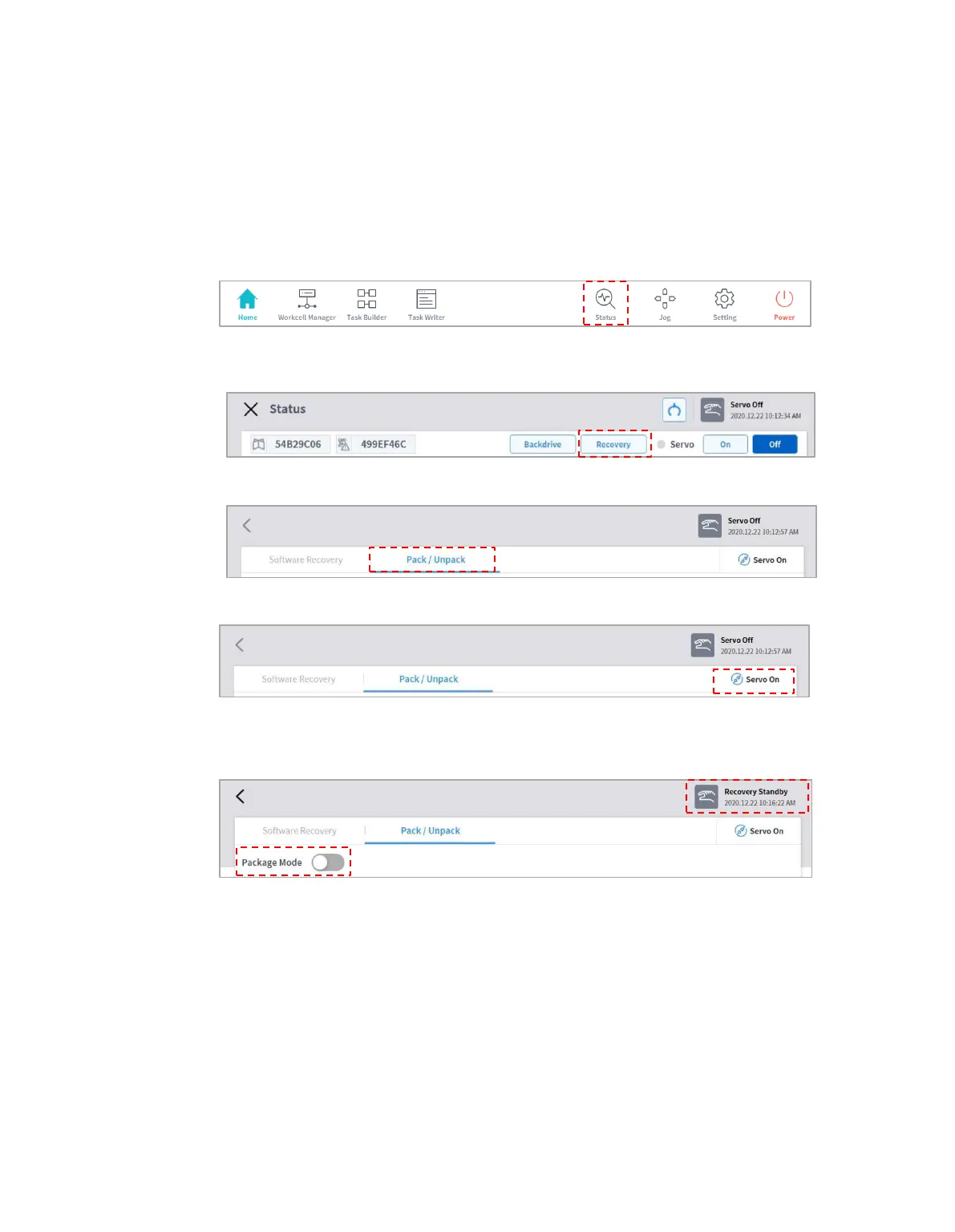
Disengaging Packaging Pose:
1 Tap Status on the initial screen of the teach pendant.
2 Tap the Safety Recovery button. The Safety Recovery button is enabled when Safety
Off is set.
3 Select the Packaging Mode tab.
4 Tap the Servo On button.
5 The robot status display on the top right of the Teach Pendant screen shifts from
"Safety Off" to "Recovery Standby." Tap the Packaging Mode toggle button on the Packaging
Mode tab.
6 Tap the Disengage Packaging Pose button.
The robot’s packaging mode is disengaged, and the robot moves to the home position.
When the robot is in the home position, it does not move any further.



 To Next Page