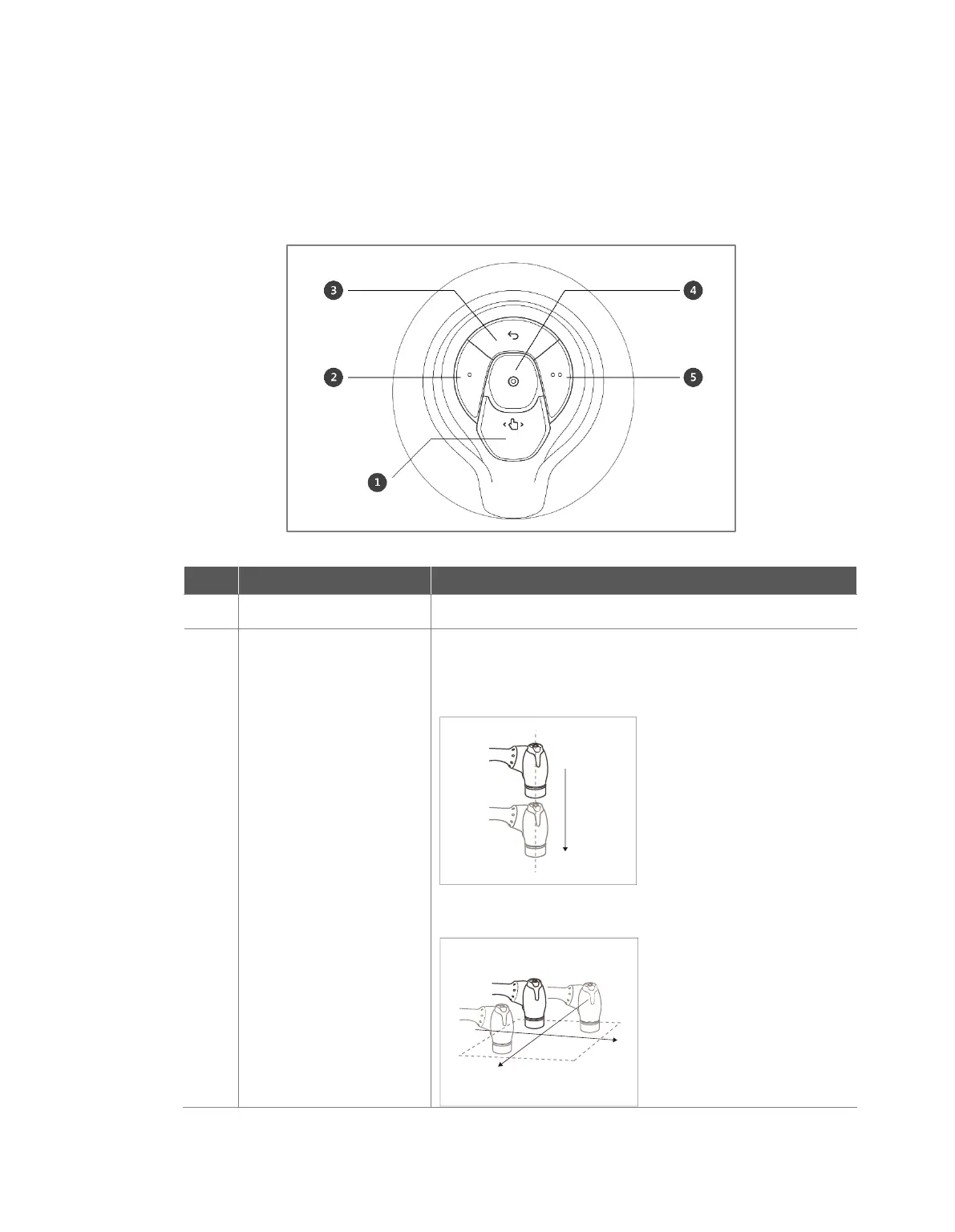
4.2.2 Cockpit Button (five buttons)
The user can change the robot’s pose while holding down the Hand-guiding button or custom button
on the cockpit.
This button can modify the robot’s pose by entering a pose
according to a lock condition corresponding to a mode.
Axis Lock: Changes the pose according to the Z-
axis of the tool coordinates
Surface Lock: Changes the pose according to the
X-Y surface of the tool coordinates



 To Next Page