EasyManua.ls Logo

Doosan H2017 - Page 15

Doosan H2017
253 pages
Print Icon
To Next Page IconTo Next Page
To Previous Page IconTo Previous Page
Loading...
15
No.
Item
Description
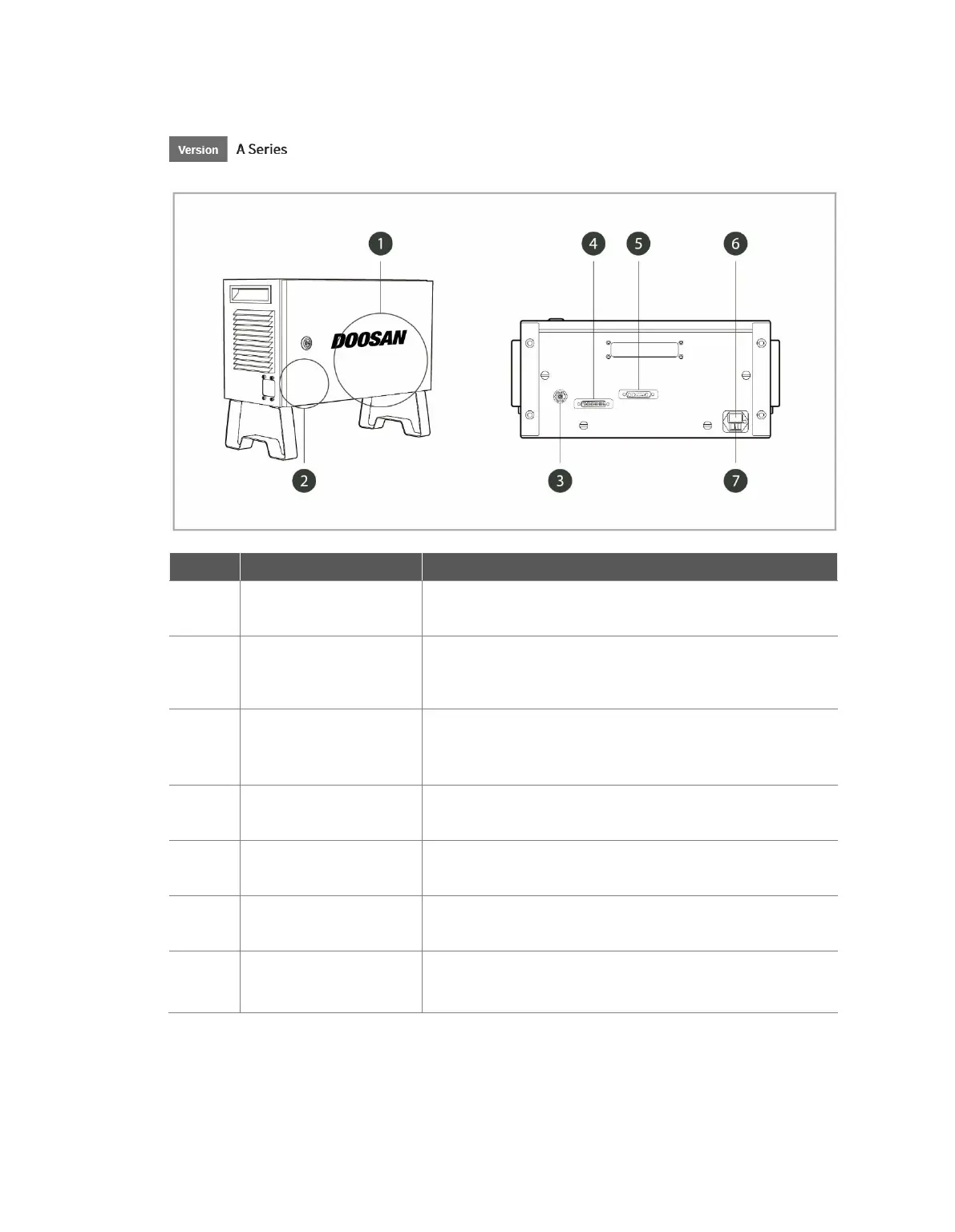
1
I/O connection terminal
(internal)
Used to connect the controller or peripherals.
2
Emergency Stop Button
Setting switch
To use the Teach Pendant, Smart Pendant, or Emergency
Stop buttons, the switch must be set to match the actual
configuration.
3
Emergency stop button
and smart pendant
connection terminal
Connects the emergency stop button or smart pendant cable
to the controller.
4
Teach pendant cable
connection terminal
Used to connect the teach pendant cable to the controller.
5
Robot cable connection
terminal
Used to connect the robot cable to the controller.
6
Power connection
terminal
Used to connect the controller power supply.
7
Main power switch
Used to turn ON/OFF the main power of the controller.
For more information, refer to 3.1 System Power-Up.

Table of Contents

Other manuals for Doosan H2017

Related product manuals